
Build a Chrome Extension Using a Gold Price API Free (2026): Step-by-Step Tutorial
By
Ejaz Ahmed17 Mar 2026 • 8 min read

Ever tried to track the price of gold with 20 browser tabs open? It is a nightmare. Moreover, you continuously check the sites on financial news to know whether the precious metal market has moved. Thus, this manual process kills productivity and wastes time.
This guide will develop a smooth Chrome Extension. We will retrieve the real-time data using CommodityPriceAPI, a developer-friendly API for live commodity prices.
At the end, you will have a tool that displays gold, silver, and platinum prices at a single click. For example, on February 25, 2026, gold was trading at roughly $5,180 to $5,200 per ounce, depending on the source and timing.
We will discuss the free implementation of the gold price API, manifest files, and JavaScript integration using the CommodityPriceAPI documentation.
Step 1: Get Your Free Gold Price API Key
First, you must connect with the data source. Many free gold price APIs can be set up in under 30 seconds. Hence, go to CommodityPriceAPI and create an account.
- Navigate to the Dashboard.
- Copy your unique API key.
- Keep it private! Don't sell or share it on GitHub.
A free gold spot price API lets you retrieve spot prices for gold, silver, and even palladium. Moreover, you can find your used quota in the usage endpoint. Once you pass the limit of counts, you may have to upgrade your subscription plan.
Create a folder anywhere on your PC.
Example:
Desktop
   gold-price-extension
Inside this folder create 3 files
gold-price-extension
│
├── manifest.json
├── popup.html
└── popup.js
You can create them using:
Right click → New → Text file → rename.
Step 2: Creating the Extension Manifest
All Chrome Extensions require a manifest.json. This file informs Chrome of what your app does. It also specifies the permissions of the site and the background scripts. This is similar to how developers document endpoints and access levels when working with a gold price API free.
{
  "manifest_version": 3,
  "name": "Gold Tracker Pro",
  "version": "1.0",
  "description": "Live gold price tracker using CommodityPriceAPI.",
  "permissions": ["storage"],
  "action": {
    "default_popup": "popup.html"
  },
  "host_permissions": [
    "https://api.commoditypriceapi.com/*"
  ]
}
This file determines the default behavior. Thus, we apply version 3 because it is more reliable. It guarantees compatibility with the most recent versions of Chrome. To make an API request to the gold price API free service, we also request host permissions.
Step 3: Designing the Pop-up Interface
Your users or customers require a clean application interface. Thus, we will prepare a popup.html. It will present the value of gold, silver, and platinum in USD.
<!DOCTYPE html>
<html>
<head>
<style>
body {
  width:250px;
  font-family:Arial;
  padding:10px;
}

.price-box{
  display:flex;
  justify-content:space-between;
  margin:6px 0;
}

.gold{
  color:#D4AF37;
  font-weight:bold;
}
</style>
</head>

<body>

<h3>Precious Metal Prices</h3>
<hr>

<div id="prices">Loading...</div>

<button id="refresh">Refresh Prices</button>

<script src="popup.js"></script>

</body>
</html>
This straightforward API structure of HTML creates a small window.
Step 4: Fetching Real-Time Data With JavaScript
Time to get down to the technical center of the project. In many cases, adding a gold price API is as simple as copying and pasting a script into your website or app.
In this case, we will write popup.js that calls the latest rates endpoint of the CommodityPriceAPI. So we shall bring in gold (XAU) and silver (XAG) using a free API solution for gold prices.
const API_KEY = "ADD-YOUR-API-KEY-HERE";

const BASE_URL = "https://api.commoditypriceapi.com/v2/rates/latest";

async function fetchPrices() {

    const display = document.getElementById("prices");

    try {

        const response = await fetch(
            `${BASE_URL}?apiKey=${API_KEY}&symbols=XAU,XAG,PL`
        );

        const data = await response.json();

        if (data.success) {

           const goldPrice = data.rates.XAU ? data.rates.XAU.toFixed(2) : "N/A";
            const silverPrice = data.rates.XAG ? data.rates.XAG.toFixed(2) : "N/A";
            const platinumPrice = data.rates.PL ? data.rates.PL.toFixed(2) : "N/A";

            display.innerHTML = `
                <div class="price-box">
                    <span>Gold (XAU)</span>
                    <span class="gold">$${goldPrice}</span>
                </div>

                <div class="price-box">
                    <span>Silver (XAG)</span>
                    <span>$${silverPrice}</span>
                </div>

                <div class="price-box">
                    <span>Platinum (PL)</span>
                    <span>$${platinumPrice}</span>
                </div>

            `;

        } else {

            display.innerText = "API returned an error.";

        }

    } catch (error) {

        display.innerText = "Connection error.";

    }

}

document.getElementById("refresh").addEventListener("click", fetchPrices);

fetchPrices();
Note: Kindly replace the placeholder "ADD-YOUR-API-KEY" with your actual API key.
Please note that when working on professional development projects, you must never expose the API key on the frontend. The best method is to store it inside a .env file.
Load the Extension in Chrome
Now we install it.
Open Chrome.
Go to:
chrome://extensionsTurn ON
Developer Mode(top right)
Click:
Load unpackedSelect your folder:
gold-price-extensionChrome will install the extension.
Run the Extension
Now:
- Click the Extensions icon in Chrome
- Find Gold Tracker Pro
- Click it
The pop-up opens.
You will see something like:
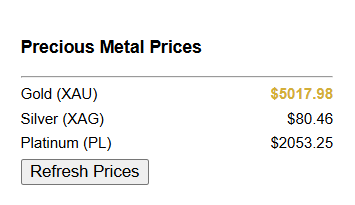
These numbers will come directly from the API.
Click:
Refresh PricesIt will call the API again.
Why Use a Gold Price API Free for Your Project?
The gold price varies on a recurring and periodic basis. In addition, international gold, silver, platinum, and palladium markets do not sleep. Developers need an effective data source to stay in touch. The free gold price API enables you to create a demo or a small application with no initial expenses.
The free plan is ideal for learning. It actually provides access to live feed data via API. Consequently, you can keep an eye on the day's maximum price.
It is also possible to monitor the current gold spot price via a free API for your personal store or business. Gold price APIs can also be tailored to match specific business needs and use cases. Many companies worldwide use these tools.
They apply them when determining product prices for customers, especially when using a free gold price API solution. Real-time data feeds from gold price APIs can also help e-commerce platforms maintain accurate pricing. Gold price APIs can also support dynamic pricing for a large number of products across different platforms.
The majority of precious metals API providers, such as CommodityPriceAPI, provide bank-level protection. Consequently, this guarantees your data security.
You also get detailed API documentation, even on a free gold price API. Some APIs also offer plugins for popular content management systems like WordPress and Drupal. This, in turn, facilitates easy integration within a short period.
Helpful Resource: Why Every Business Needs Live Commodity Data Now
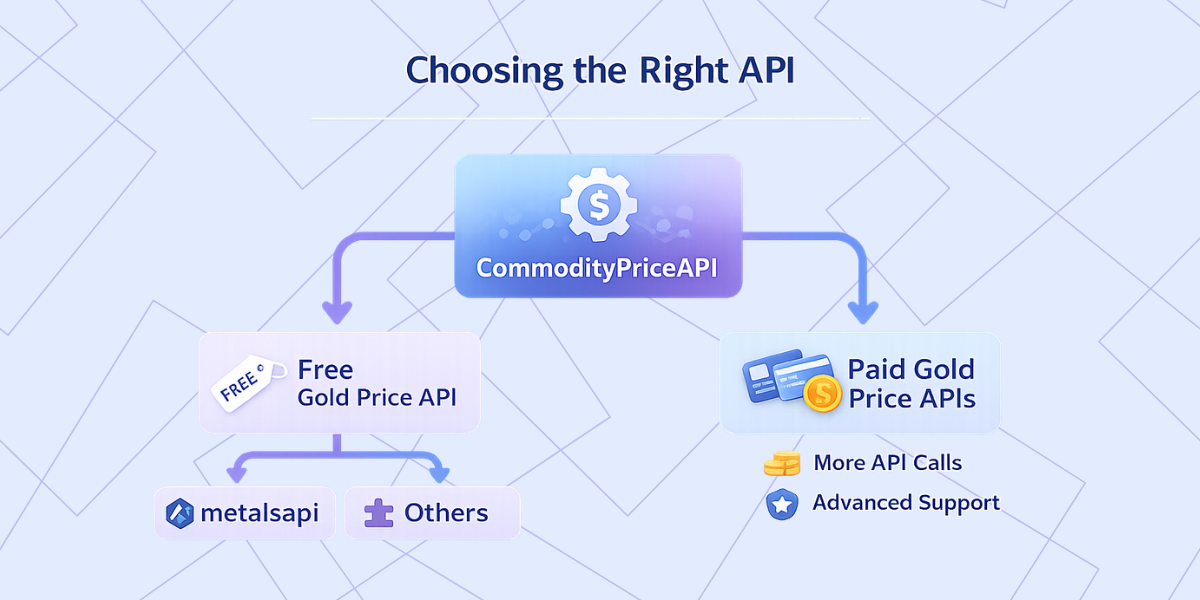
Choosing the Right API: CommodityPriceApi vs. Others
Helpful Resource: Gold Prices Data: Top 10 Reliable Sources You Must Try
Advanced Features: Historical Trends and Fluctuations
When you upgrade the free plan, you are able to access the time series and fluctuation endpoints of a gold price API free. Thus, it is excellent when it comes to a business that wants to test market volatility.
- Historical Rates: Data is available since 1990.
- Time-Series: Retrieve daily rates between two dates.
- Fluctuation: This is the change in the price of gold within the time period between the start and end dates.
Many users apply these features in India and other regions of the world when making decisions to buy or sell. Consequently, the commodity price API will give the open, high, low, and close prices of any date. Gold price APIs can also show fluctuation data along with the lowest and highest prices for any given day.
This is similar to how a gold price API free solution provides reliable market insights. As a result, you can use this quality data to develop a professional app.
Helpful Resource: Detecting Commodity Price Fluctuations For Smarter Trading Decisions
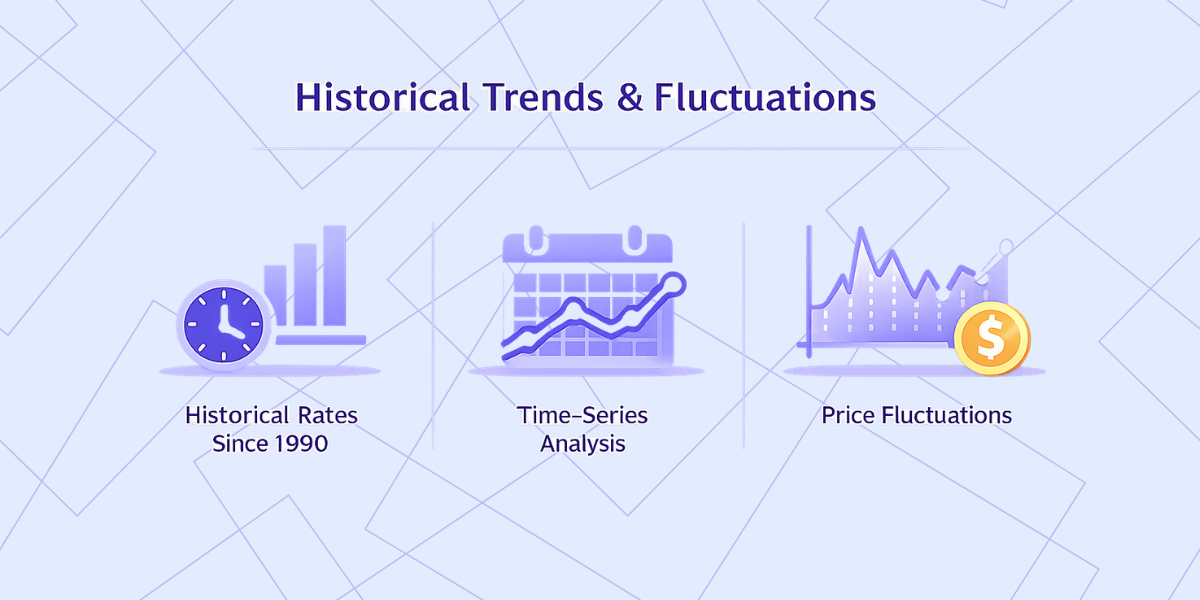
Advanced Features: Historical Trends and Fluctuations
When you upgrade the free plan, you are able to access the time series and fluctuation endpoints of a gold price API free. Thus, it is excellent when it comes to a business that wants to test market volatility.
- Historical Rates: Data is available since 1990.
- Time-Series: Retrieve daily rates between two dates.
- Fluctuation: This is the change in the price of gold within the time period between the start and end dates.
Many users apply these features in India and other regions of the world when making decisions to buy or sell. Consequently, the commodity price API will give the open, high, low, and close prices of any date. Gold price APIs can also show fluctuation data along with the lowest and highest prices for any given day.
This is similar to how a gold price API free solution provides reliable market insights. As a result, you can use this quality data to develop a professional app.
Helpful Resource: Detecting Commodity Price Fluctuations For Smarter Trading Decisions
Handling API Errors and Limits
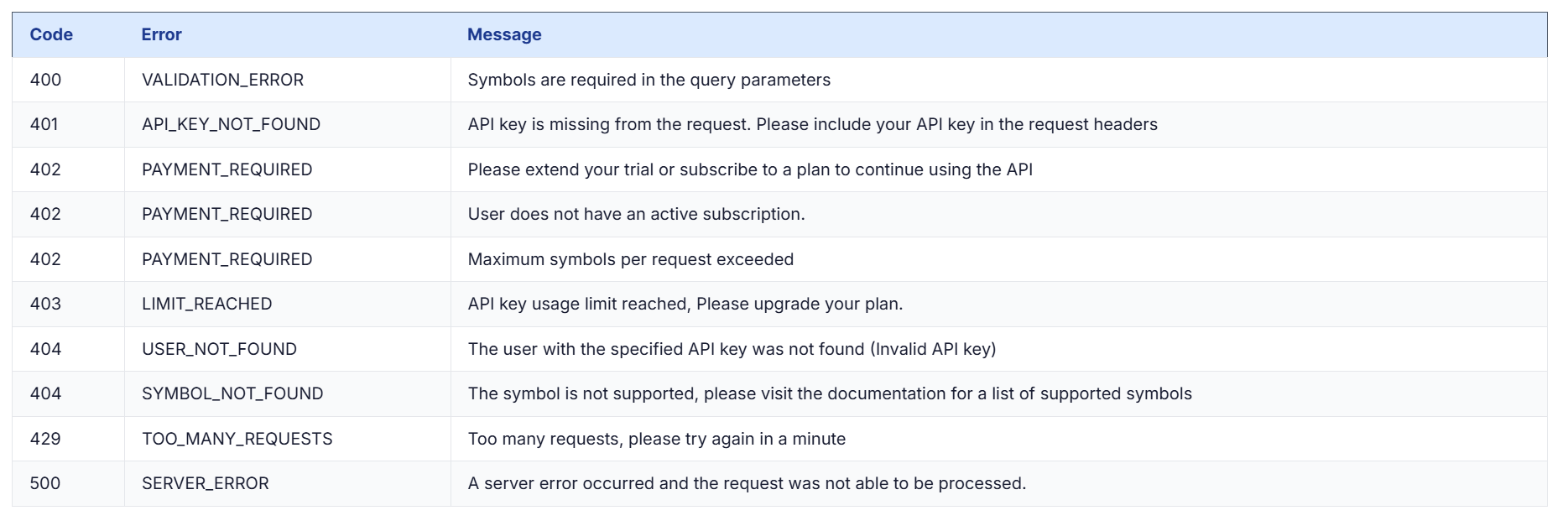
You have to handle errors when using a free live gold price API. For example, the API returns a 429 code when you exceed your rate limits. Similarly, when you use an incorrect API key, you will receive a 404 or 401 error.
Note: The success in the response is always checked in the JSON response. This is hence a developer practice.
If your app needs more API usage, you can upgrade to additional API usage. Moreover, the premium and the plus plans will have guaranteed availability. Check out different errors and their meanings on the CommodityPriceAPI website. You can find the reference below:
TL;DR
- What: a Chrome Extension that tracks precious metals.
- Why: You can get real-time data on gold, silver, and platinum right in your browser.
- How: CommodityPriceAPI with a free real-time gold price API key.
- Important Files: popup.html, popup.js, and manifest.json.
- Free Plan: 2000 calls/month and 10-minute updates.
Conclusion
The project of creating a tracker for gold prices is rewarding. Furthermore, it addresses the practical issue of fragmented market data.
Now, you are aware of how to retrieve an API key and create a Chrome Extension. Retrieve free gold price API live data. You can also explore a free gold price API to get started without upfront costs.
Reliable data is important whether you are constructing it yourself or providing it to your customers. These APIs usually pull data from trusted, high-volume sources such as the London Bullion Market Association (LBMA). Thus, CommodityPriceAPI provides an easy way to integrate your application into the global marketplace.
FAQs
Is There a Free Gold Price API for Developers?
Yes, the Lite plan has a free gold price API and 2000 monthly calls. It is ideal for demos or personal use.
How Often Does a Free Gold Price API Update Prices?
You can monitor gold, silver, platinum, palladium, and 130+ other commodities. This incorporates energy products such as WTI Crude.
How Often Does the Data Update?
On the free plan, prices are updated every 10 minutes. To get real-time updates (60 seconds), you need to upgrade to a Plus or Premium plan when using the free gold price API.
Can I Use This for a Commercial Business?
Absolutely. A large number of companies use the precious metals API in their store or apps. All you have to do is ensure your plan covers your expected API request volume.
What if I Need Historical Data?
History is normally provided in gold price APIs, free metals API-style services. All plans offer historical data back to 1990 with CommodityPriceAPI, making it a reliable, free gold price API solution for developers and financial platforms.
How Do I Get a Free Gold Price API Key?
You can get a free Gold Price API key by signing up on CommodityPriceAPI. After creating an account, generate your API key from the dashboard and use it in your API requests to retrieve live gold, silver, and other commodity prices.