
How Traders Can Automate Commodity Alerts In Minutes
By
Ejaz Ahmed1 Jan 2026 • 7 min read
Staring at charts all day feels productive, but it slowly drains your focus. Prices in commodity markets move while you blink, step away, or switch tabs. That is how breakouts get missed, and entries arrive late.
Manual tracking also creates alert fatigue. You set dozens of price alerts and stop trusting them. After a while, every ping feels noisy, and none feel urgent.
This is where Commodity Alerts change the game. Automation tracks prices nonstop and reacts to real market trends without distraction.
In this guide, you will learn how to build simple alerts in minutes and let the system handle the tedious work for you.
What Automated Commodity Alerts Actually Mean
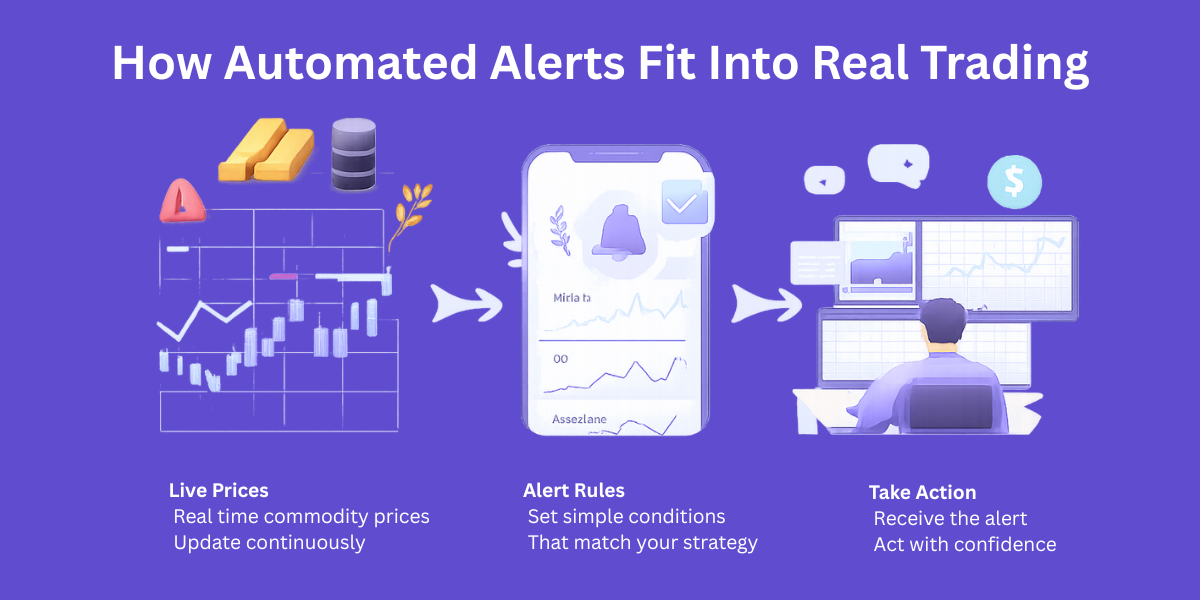
Automated alerts are simple rules that watch prices for you. When a condition hits, you get notified right away. No refreshing charts or second-guessing missed moves.
Some alerts live inside trading apps. API-driven alerts run on their own and give you more control. You choose the logic, the timing, and how real time price alerts reach you.
Think of a commodity alert for gold breaking resistance. Or oil pushing above the daily high after major geopolitical events. You can also track natural gas moves across key commodities and spot market opportunities without watching the screen.
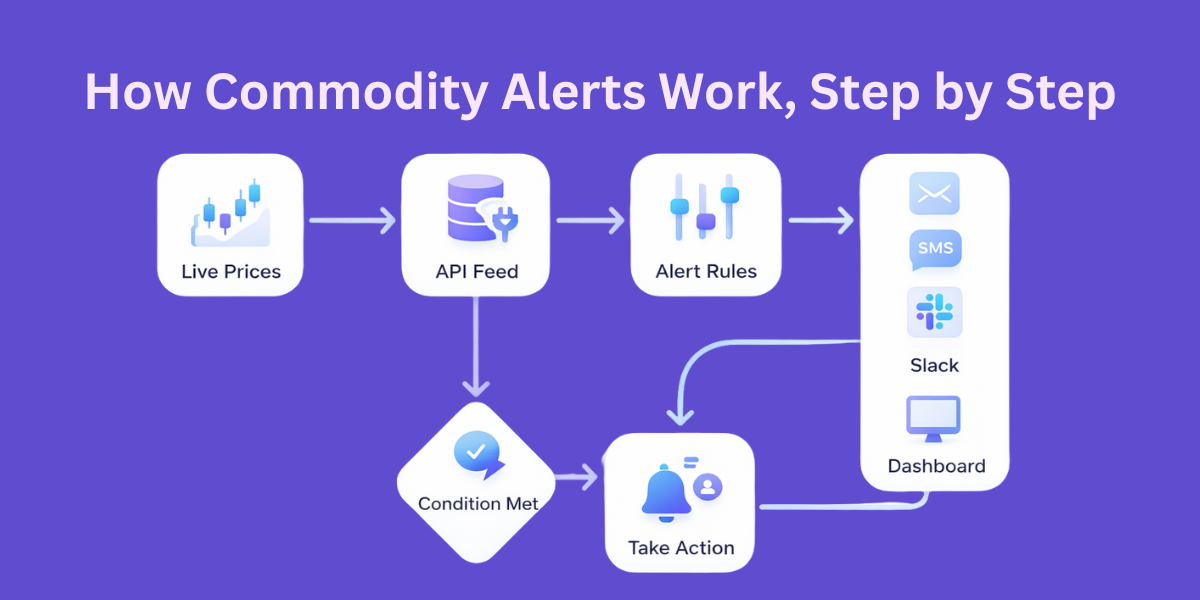
Core Components Of A Commodity Alert System
Every alert system starts with a live price source. Fresh prices turn raw data into actionable insights. This helps the alerts not to lag and fail in fast-moving markets to perform immediate action.
The next component is the rule. It might track prices crossing a level, a sharp move in futures, or a range break in key commodities. Clear logic keeps alerts focused and prevents constant noise.
The trigger delivers the message through email, SMS, Slack, or a dashboard. Fast delivery matters when markets move quickly. This is what separates useful alerts from ones that arrive too late to matter.
Choosing The Right Commodity Data API
Not all data sources work for traders. If you trade actively, you need real time updates that stay consistent. Delayed feeds break alert logic and cost profit.
History matters more than people think. Backtesting across each date helps you spot patterns and manage volatility. It also keeps weak signals out of your workflow.
Coverage matters too. You want to ensure metals, energy, and agriculture stay in one place, not split across tools.
CommodityPriceAPI delivers fast oil pricing with reliable real time updates. It works with flexible currencies and fits easily alongside stocks. That makes it more useful for serious commodity price alerts without adding extra complexity.
Understanding The CommodityPriceAPI Basics
CommodityPriceAPI uses simple API key authentication. Each request includes the key as a parameter or header linked to your account. Setup takes minutes, not hours, so you do not miss early market moves.
Requests go to a single base URL and return clean JSON. You can fetch live prices, historical data, or time series with predictable responses. This makes it easy to track value, compare trends, and connect prices to an index you already follow.
Traders often track XAU, WTI, Brent, and natural gas. These markets cover metals and energy. Both are closely tied to inflation and daily risk decisions.
With steady updates, traders cut through the noise. They gain clearer insights and make decisions with more precision.
Step-By-Step: Build A Commodity Price Alert In Minutes
This guide shows how to set up a commodity price alert, step by step. You can have it running in just a few minutes.
Step 1: Get the Latest Commodity Prices
Begin with the /rates/latest endpoint. Ask only for the symbols you care about. Fewer symbols keep the response fast and easy to work with.
You can also choose your quote currency. If you use a currency other than USD, you can set that too. The prices come back already converted, so you do not have to do the math yourself.
With this first call, you get the latest prices right away. That is what you need to start building a dependable commodity price alert.
Step 2: Define Alert Conditions
Now decide what matters to your strategy. You might want an alert when a price moves above a level or drops below support. Keep rules simple at first.
Percentage moves are useful when you want to catch momentum. Daily highs or lows work well for intraday setups.
These simple rules form the backbone of strong commodity trading alerts.
Step 3: Compare Current Price With Your Rule
Your script checks the latest price against your condition. If the rule matches, the alert fires. If not, it waits.
You can track many commodities in one request. Each symbol runs its own check. This makes it easy to scale commodities trade alerts without slowing things down.
Step 4: Send The Alert
Pick how you want to get notified. Email suits slower strategies. Slack or dashboards work better for active desks.
SMS is best when speed matters. This setup also supports commodity alerts on mobile with no extra apps.
Here is the sample code example:
import requests
import smtplib
from email.mime.text import MIMEText
from email.mime.multipart import MIMEMultipart
import time

# -----------------------------
# CONFIGURATION SECTION
# -----------------------------
API_KEY = "add-your-api-key"  # Replace with your API key
BASE_URL = "https://api.commoditypriceapi.com/v2/rates/latest"

# Symbols and alert thresholds
ALERTS = {
    "XAU": {"above": 4350, "below": 4200},         # Gold
    "WTIOIL-FUT": {"above": 60, "below": 55},     # WTI Oil
    "NG-FUT": {"above": 4.0, "below": 3.5},       # Natural Gas
}

QUOTE_CURRENCY = "USD"  # Can be adjusted
CHECK_INTERVAL = 60      # Time in seconds between API checks

# Email alert settings
EMAIL_ENABLED = True
EMAIL_SENDER = "your_email@example.com"
EMAIL_PASSWORD = "YOUR_EMAIL_PASSWORD"
EMAIL_RECEIVER = "receiver_email@example.com"
SMTP_SERVER = "smtp.gmail.com"
SMTP_PORT = 587

# -----------------------------
# FUNCTIONS
# -----------------------------
def fetch_latest_prices(symbols, quote_currency="USD"):
    """
    Fetch latest commodity prices from CommodityPriceAPI
    """
    params = {
        "apiKey": API_KEY,
        "symbols": ",".join(symbols),
        "quote": quote_currency
    }
    response = requests.get(BASE_URL, params=params)
    data = response.json()

    if data.get("success"):
        return data["rates"]
    else:
        raise Exception(f"API Error: {data}")

def send_email(subject, message):
    """
    Send email notification
    """
    if not EMAIL_ENABLED:
        print("Email alerts are disabled.")
        return

    msg = MIMEMultipart()
    msg['From'] = EMAIL_SENDER
    msg['To'] = EMAIL_RECEIVER
    msg['Subject'] = subject
    msg.attach(MIMEText(message, 'plain'))

    try:
        server = smtplib.SMTP(SMTP_SERVER, SMTP_PORT)
        server.starttls()
        server.login(EMAIL_SENDER, EMAIL_PASSWORD)
        server.send_message(msg)
        server.quit()
        print(f"Alert sent: {subject}")
    except Exception as e:
        print(f"Failed to send email: {e}")

def check_alerts(prices, alerts):
    """
    Check if any commodity meets alert conditions
    """
    for symbol, rules in alerts.items():
        price = prices.get(symbol)
        if price is None:
            continue

        if "above" in rules and price > rules["above"]:
            send_email(f"{symbol} Alert: Above {rules['above']}", f"{symbol} price is {price} {QUOTE_CURRENCY}")
        if "below" in rules and price < rules["below"]:
            send_email(f"{symbol} Alert: Below {rules['below']}", f"{symbol} price is {price} {QUOTE_CURRENCY}")

# -----------------------------
# MAIN LOOP
# -----------------------------
if __name__ == "__main__":
    symbols = list(ALERTS.keys())
    print("Starting commodity price alert system...")

    while True:
        try:
            prices = fetch_latest_prices(symbols, QUOTE_CURRENCY)
            print(f"Fetched prices: {prices}")
            check_alerts(prices, ALERTS)
        except Exception as e:
            print(f"Error fetching prices: {e}")

        time.sleep(CHECK_INTERVAL)
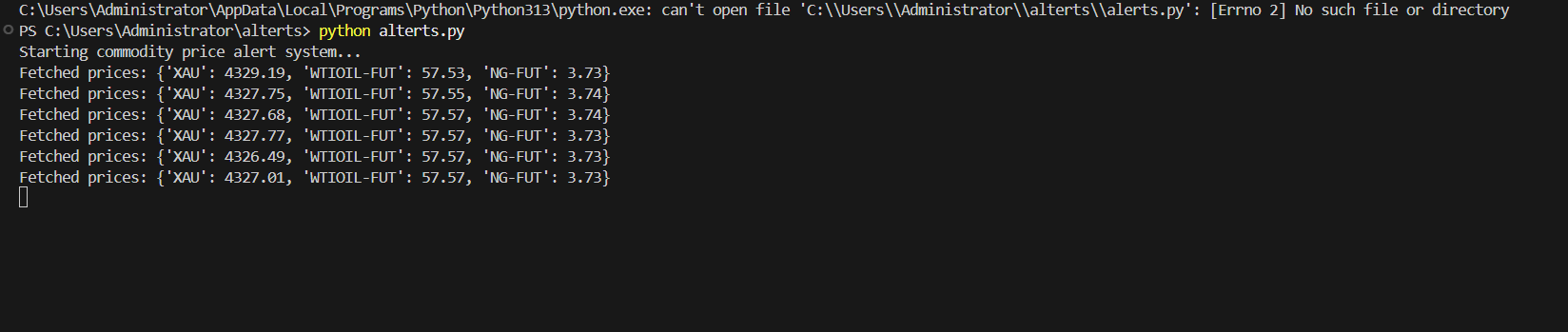
Here is the output:
Using Historical And Time-Series Data To Improve Alerts
Raw price alerts often misfire because markets wiggle all day. A good system needs context to separate noise from real moves. This is where a reliable service helps you track what actually matters.
Historical endpoints show how prices behaved before. Time-series data compares today’s move against a normal range across major exchanges. That context gives traders more confidence in every notification they receive.
For example, you can trigger alerts only when the price breaks a 30-day high. That filters low-liquidity hours and random spikes using simple tools. The result is calmer commodity market alerts that help you capitalize on real momentum.
Advanced Alert Ideas For Traders
Volatility-based alerts add real depth to your setup. By using fluctuation data, you can spot sudden expansion or contraction in price. This gives traders more power to act at the right time with accurate signals that protect performance.
Correlation alerts help you see how markets move together. Gold and silver usually move in sync. When they break their patterns, it suggests the market is starting to turn.
These relationships matter more than most people think. Many traders and developers miss them because basic setups do not look beyond individual prices.
Currency-adjusted alerts support global trading across metals, energy, and grains. You can connect them with FX or equity signals to see the full picture. This turns a simple commodity price alert app into a smarter system built for real-world trading.
Common Mistakes Traders Make When Automating Alerts
Many traders unknowingly use delayed data. Alerts arrive late, miss the move, and fail to hit when timing matters. Always confirm update frequency and data freshness before you rely on it.
Too many alerts break your focus. When everything pings, nothing feels urgent, and strategies fail to thrive. A smaller set of clear alerts helps you diversify signals while keeping your attention where it matters.
Security mistakes also matter more than most realize. Never hard-code keys, skip proper disposal, or ignore rate limits when integrating alerts into scripts. Clean setups with clear parameters protect commodity trade alerts when markets heat up.
Conclusion
Automation changes how traders approach the market. You stop chasing every move. You start responding to clear signals with more accuracy.
It filters out the clutter. You stay focused and make steadier decisions, even for your investments, after the trade is done.
As strategies evolve, alerts grow with them. You add rules instead of more screen time. This helps you to focus and explore what actually matters.
Every small change teaches you something. Click an option when it appears, and it can help you catch new opportunities, even when December markets move fast.
API-driven alerts save time and mental energy. You can start fast with CommodityPriceAPI and build smarter systems over time. Even free commodity price alerts on mobile setups can grow into serious tools when used with care.
FAQs
How Fast Are Commodity Prices Updated For Alerts?
Update speed depends on your plan. Faster tiers refresh every 60 seconds. Slower updates work for longer-term strategies.
Can I Automate Alerts For Multiple Commodities At Once?
Yes, a single request works for multiple symbols. Each symbol follows its own rule. This keeps logic clean and scalable.
Do I Need Historical Data To Create Price Alerts?
No, but it helps a lot. Historical data improves thresholds and reduces noise. It makes alerts smarter.
Can Alerts Be Triggered In Currencies Other Than USD?
Yes, quote currency selection supports global trading. This works well for regional accounts. It also enables free sms alert for commodity setups tied to local pricing.
Is This Setup Suitable For Both Retail And Professional Traders?
Yes, it scales well. Retail traders start simple and grow. Professionals extend logic and delivery channels without changing the core system.