
How to Use a Free Commodities Price API in Web & Mobile Apps
By
Ejaz Ahmed9 Feb 2026 • 7 min read

Imagine that you are creating a new fintech application. Your users wish to know the price of gold or crude oil in real time. When your data is slow, your users lose money.
Scraping websites manually to get the prices of commodities is a nightmare. It is slow, not reliable, and scales poorly. You require one API that can get you to global markets in real time.
This guide will teach you how to use a free commodities price api to drive your projects. We shall discuss API authentication and integration. Back-end price services will also be discussed.
This walkthrough will work regardless of whether you are creating a commodities dashboard or some sort of price tracker. Let us get down to the technicalities. Get your app linked to live data.
What Is a Free Commodities Price API?
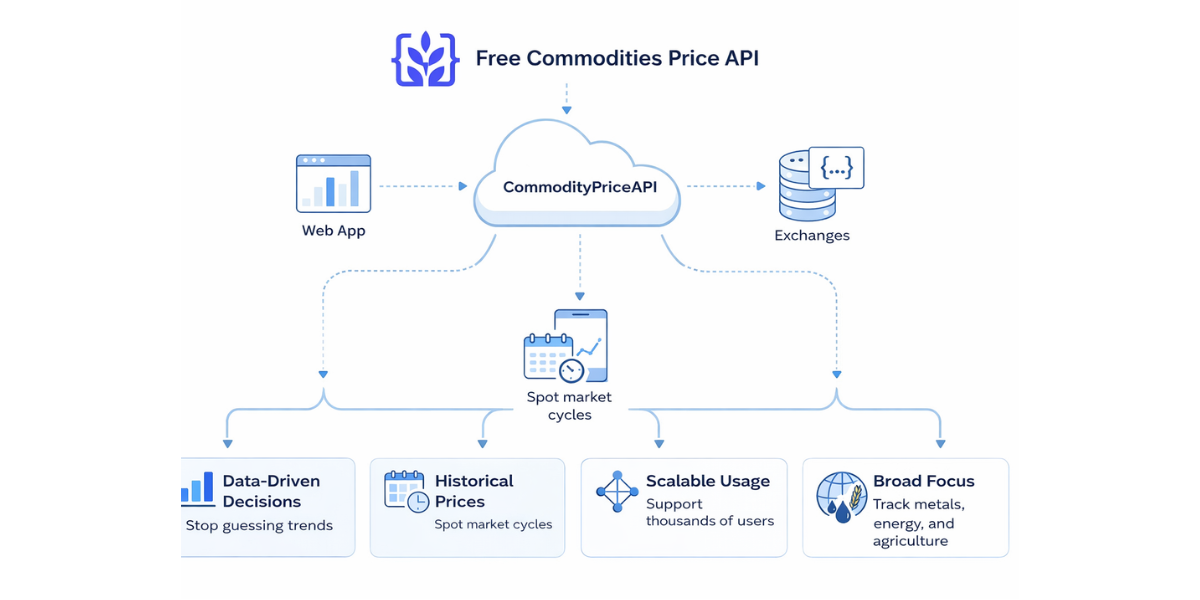
A free commodities price api is a specialized service. It provides real time market data on raw materials such as energy products, metals, and agricultural commodities. So you can integrate commodity price API into your app with ease.
The API serves as an interface between your web app and price integration and international exchanges. It offers a common API response format, typically in the form of JSON, which is simple to implement. Looking into specific data points can be done using one symbol per asset.
A free commodities price api enables traders and financial analysts to track trends without incurring costs related to overhead. It reduces the data access cost. It makes it easier to access up-to-date information. This assists sectors such as logistics and finance.
Why You Need Reliable Price Data
- Data-Driven Decisions: Enough with the guessing market trends and employ actual numbers.
- Historical Prices: Go to the past and monitor historical commodity prices in order to identify cycles.
- Scalable Usage: Thousands of users will be supported without collapsing your system.
- Broad Focus: Monitoring of metals, energy, and agriculture.
Helpful Resource: Commodities API Free – The Best Way to Access Real-Time Commodity Data
Core Categories of Commodities Supported
When you combine commodity price API services, you are able to access a variety of asset classes. A combination of these is required in most companies. This assists in giving an entire financial data picture.
Category | Examples of Symbols | Typical Use Case |
Precious Metals | Gold (XAU), Silver (XAG), Platinum | Wealth management and hedging. |
Energy | Crude Oil, Natural Gas, Heating Oil, Coal | Costs of logistics and manufacturing. |
Agriculture | Corn, Wheat, Palm Oil, Lumber | Monitoring of the food supply chain. |
Industrial Metals | Copper, Aluminum | Building and technology manufacturing. |
How to Get Started with API Authentication
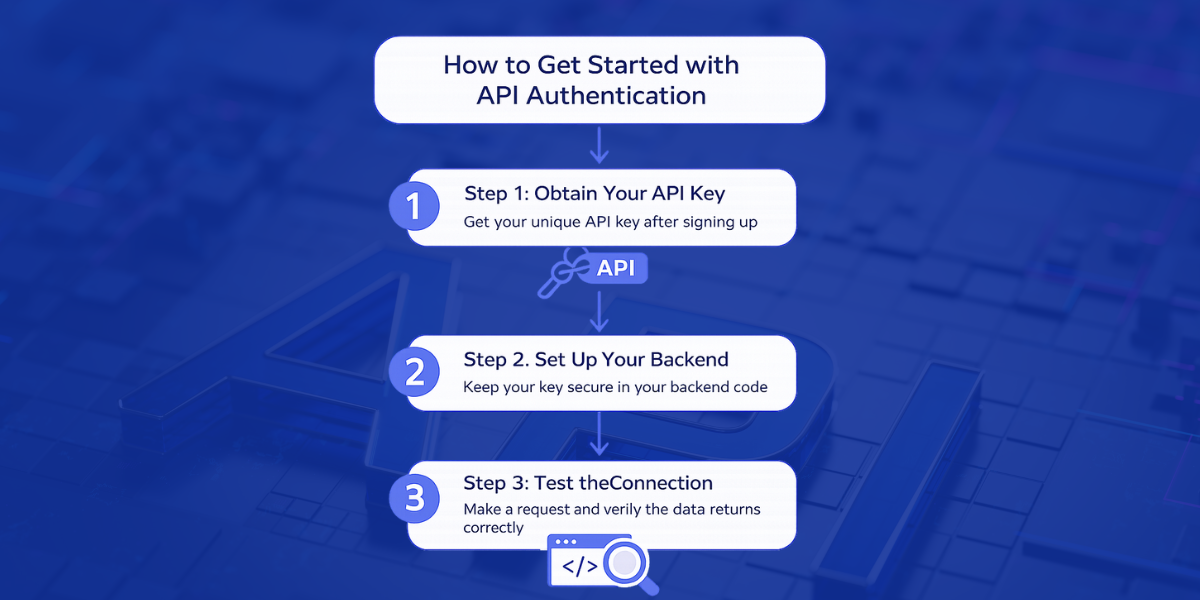
First of all, you have to register with a good company such as CommodityPriceAPI. They offer a free commodities price api tier. It is ideal for development.
Step 1: Obtain Your API Key
Register on the platform in order to obtain your unique key. This is an important key in API authentication. In its absence, the server will give an error on all requests.
Step 2: Set Up Your Backend
Always keep your key secret. Do not put it in a client-side JavaScript commodity price API code. Fetched data is used by sending it to your frontend using backend price services.
Step 3: Test the Connection
Use a basic tool such as cURL or Postman for a free commodities price api. Make a request to the most recent rates endpoint. Confirm that the price and the timestamp information are returning properly.
Let's try it out practically.
You must study the chosen API before integrating it into your system. It will give you an idea of pricing, endpoints, and other features. This will ensure that the API matches your project perfectly or not.
Once you have done this step, the next step is to create an account to get your API key. Remember, the API key is a unique secret for every user. Therefore, you must not share it with anyone. After creating an account, you will be able to sign in. It will bring you to a dashboard. Here, you will see an API key like the one given below:
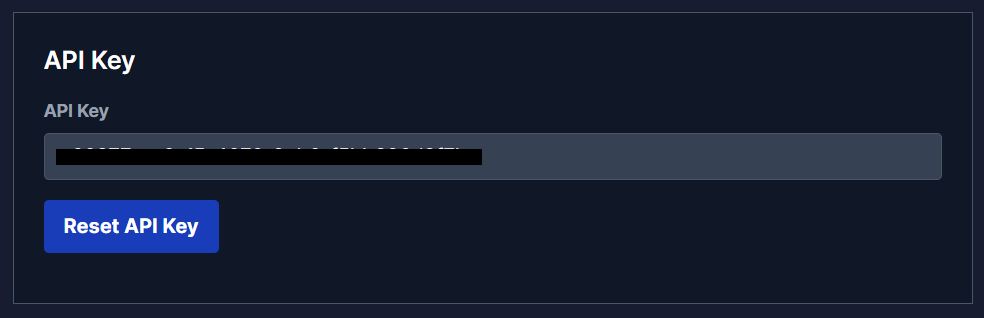
Once you have the API key, the next step is to choose your endpoint. Commodity prices API gives you access to the following endpoints:
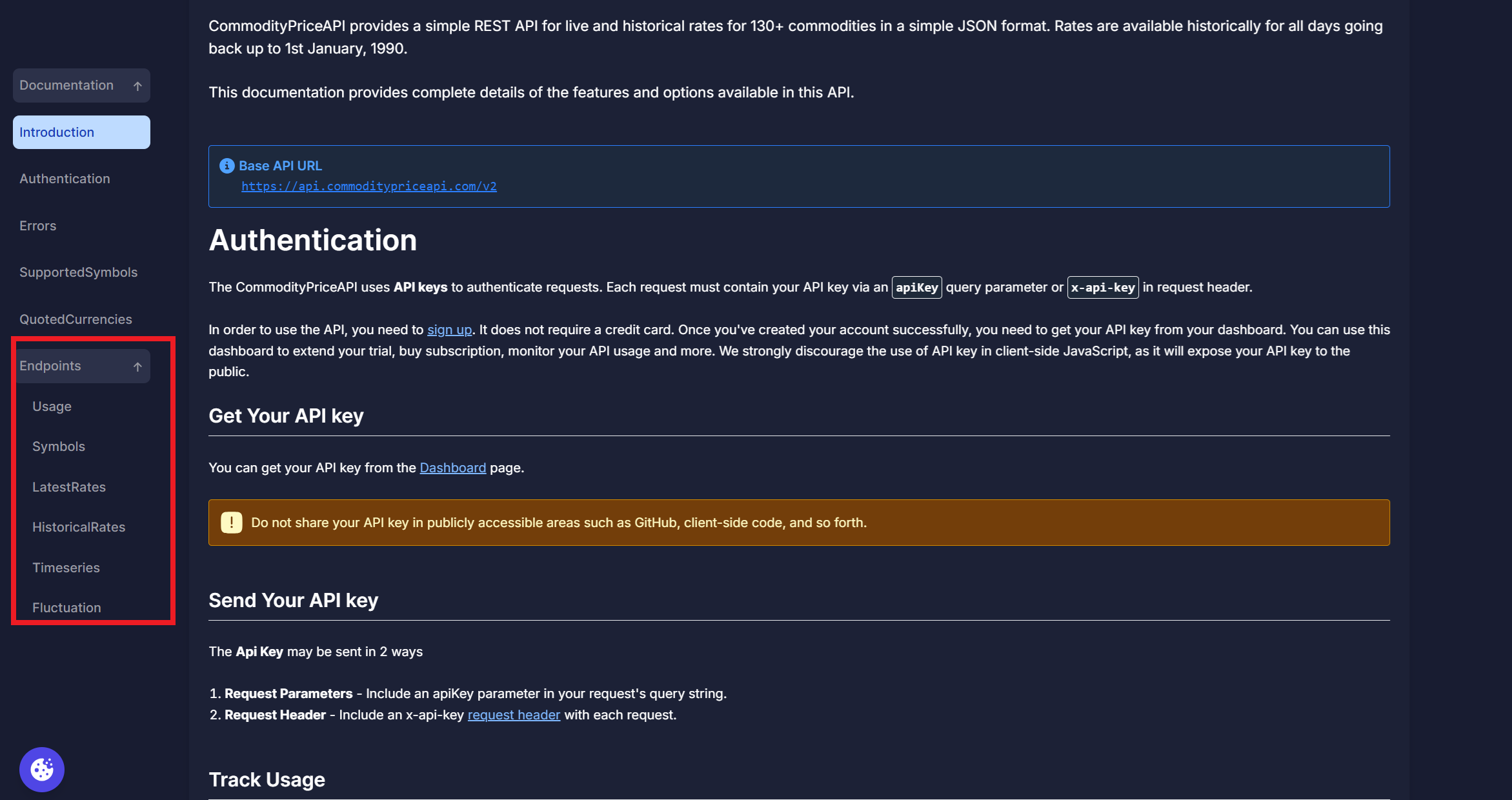
You can access the complete documentation here.
Let's say we choose the latest endpoint:
$ curl "https://api.commoditypriceapi.com/v2/rates/latest?symbols=xau,wtioil-fut" -H "x-api-key: YOUR_API_KEY"It comes with the following JSON response:
{
  "success": true,
  "timestamp": 1703866777,
  "rates": {
    "WTIOIL-FUT": 72.29,
    "XAU": 2066.98
  },
  "metaData": {
    "XAU": {
      "unit": "T.oz",
      "quote": "USD"
    },
    "WTIOIL-FUT": {
      "unit": "Bbl",
      "quote": "USD"
    }
  }
}
Let's move to the technical integration step now:
Technical Integration: JavaScript Commodity Price API Example
Let us consider some examples of a commodity API. JSON is supported in most programming languages. JavaScript reigns as the King of web app price integration.
The API Request Flow
- Your server receives a request from the client.
- The call to the free commodities price api is made by your server.
- The API gives real time commodity prices.
- The message is reverted to the client by your server.
// Example: Fetching latest rates for Gold and Crude Oil

const apiKey = 'YOUR_API_KEY';

const symbols = 'XAU,WTIOIL-FUT';

const url = `https://api.commoditypriceapi.com/v2/rates/latest?apiKey=${apiKey}&symbols=${symbols}`;

async function getCommodityData() {

  try {

    const response = await fetch(url);

    const data = await response.json();

    if (data.success) {

      console.log("Current Prices:", data.rates);

    } else {

      console.log("Error:", data.error.message);

    }

  } catch (err) {

    console.error("Connection failed", err);

  }

}
Here is the output
Current Prices: {
  XAU: 2034.56,
  "WTIOIL-FUT": 78.42
}
In this code snippet, there is a seamless integration. It manages the query, verifies success, and then processes the data.
Please note that you can choose the programming languages or tech stacks that match your existing applications.
Displaying Data in Mobile and Web Apps
In the case of mobile app commodity prices, everything is performance. You cannot afford to lose volume on mobile data. At this point, price data caching is critical.
Building a Commodities Dashboard
The data should be clearly displayed in the commodities dashboard using a free commodities price api. Display charts to indicate historical prices. This assists users in viewing trends across a given series of time.
Features to Include:
- Active traders have real-time updates.
- Global market currency conversion.
- International Forex and exchange rate.
- Past data of 30-days or 90-days.
Best Practices for Using a Free Commodities Price API
There is a strategy for using a free commodities price api. You would like to maintain your quota and offer recent information.
Implement Price Data Caching
Do not make the api call with each refresh of the user. Cache the price locally within 60 seconds. This will decrease your usage and also accelerate the delivery of the message.
Handle Errors Gracefully
In some cases, a symbol may be obsolete. You should deal with the 404 SYMBOLNOTFOUND error in your code. Always give a default value or a useful message to the users.
Monitor Your Usage
Look at the dashboard on a regular basis. Your mobile app commodity pricing may have to go viral, and in this case, you may have to buy a more expensive plan. Financial institutions tend to take premium plans to eliminate the issues that may happen when a limit is reached.
Helpful Resource: Best Use Cases Of API Commodities In Finance, ERP, And Supply Chain Apps
Tracking Trends with Historical Data
A free commodities price api is not only temporary. The /rates/historical endpoint is a goldmine. It allows you to follow the performance of crude oil or natural gas in previous winters.
Querying the Past
The data is available dating back to 1990. It is ideal when a financial analyst is constructing predictive models. All you need to do is add a date parameter to your request in the form YYYY-MM-DD.
Comparing Assets
The change between two dates is visible using the fluctuation endpoint. This will indicate whether agricultural products such as wheat are increasing at a higher rate than metals such as silver. You can track this easily with a free commodities price api.
TL;DR
- Free commodities price api provides access to real time and historical data.
- Secure your requests using API authentication ( API Keys).
- The standard format of API response is JSON to facilitate seamless integration.
- Use price data caching to reduce quota and increase speed.
- Gold, crude oil, forex, and mutual fund support in a single api.
Conclusion
The most efficient way to add value to your financial app is by integrating a free commodities price api. It provides you with access to international markets. You do not have to deal with the complexity of direct exchange feeds.
Using the above commodity API examples, you will be able to create a robust commodities dashboard in hours. The right data is just a query away, whether you are monitoring the energy trends or agricultural products. Begin with the free version to debug your code.
With scaling, you are able to traverse to faster updates with a free commodities price api. This helps in keeping your users updated. Your app remains stable throughout fluctuations in the market.
FAQs
Is The Data Really Real-Time?
Yes, but that is according to your plan. The free commodities price api may be slightly lagging behind. The premium plans update at 60-second intervals on live data.
Which Programming Languages Can I Use?
Any language that is capable of delivering an HTTP request can be used. Those are JavaScript, Python, PHP, Ruby, and Go. JavaScript is the preferred language to use with a commodity price API in the majority of web apps.
Can I Get Prices In Different Currencies?
Absolutely. Although the default is usually USD, it is possible to switch the currency to any of the 175+ available options. This simplifies global reporting.
What Happens If I Exceed My Limit?
The API will be sending a 403 LIMIT_REACHED error. This can be avoided by monitoring your usage in your dashboard. You can upgrade your plan in case you require more volume.
Do I Need To Store Prices In My Own Database?
Not always. A cache of the last response of 30 to 60 seconds is usually sufficient. You only need audit logs when you store data. It is also useful in case you desire long-term analytics.
How Often Should I Refresh Prices In My App?
It depends on your use case. There are numerous dashboards that are updated after 60 seconds. The mobile applications are supposed to update less frequently in order to save information. Caching allows you to remain fast and avoid constraints.