
What Is a Commodities API and How It Powers Real-Time Market Insights
By
Ejaz Ahmed3 Dec 2025 • 10 min read
We all know the importance of accurate data, whether it's commodities or just exchange rates. When it comes to commodities, traders, manufacturers, and analysts rely on accurate data for informed decision-making. The worst part? Accessing such data in real-time can be costly, fragmented, and delayed simultaneously.
Due to the data access challenge, we further deal with the following problems:
- Missing trading opportunities
- Inefficient forecasting
- Error-prone and manual updates across our databases
Then, what is the solution to such challenges? A commodities API. In this blog, you will learn everything about the commodities API. You will learn how it works, key use cases, and how to integrate the commodity prices API. Let’s begin.
What Is a Commodities API?
When it comes to the commodities API, it enables us to obtain accurate, reliable, and fast data within minutes. You get access to rich data for agricultural commodities, gold, natural gas, silver, and oil. The best part? All this data is available in real-time and historical chunks.
- Real-time data helps you if your app requires frequent updates to current data in global markets.
- Historical prices and commodities data help with analyzing past trends.
The purpose of using an API for such financial data is to access this data programmatically. This means developers are the biggest users of such APIs. Moreover, commodity APIs data can also help you automate your data dashboards and reports.
As a developer, you need to access the API key, select the preferred endpoint, and retrieve the data in the desired format. Usually, developers fetch data in JSON format. Let’s take a few code examples of a commodities API endpoint:
Here is the endpoint if you want to access the latest rates for commodities:
$ curl https://api.commoditypriceapi.com/v2/rates/latest?symbols=xau \-H "x-api-key: YOUR_API_KEY"Response output
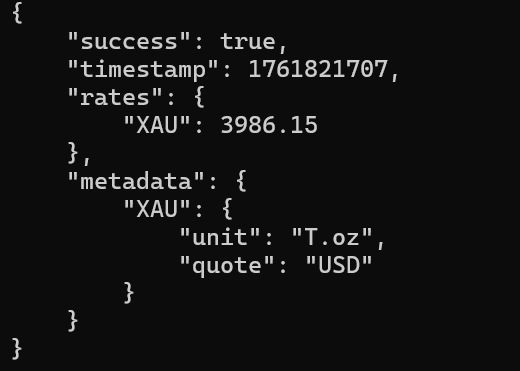
Please note that you can not test a cURL endpoint in a browser. You can try using the Command Prompt for this.
Just make sure you replace the API key placeholder when testing it in the browser or Postman.
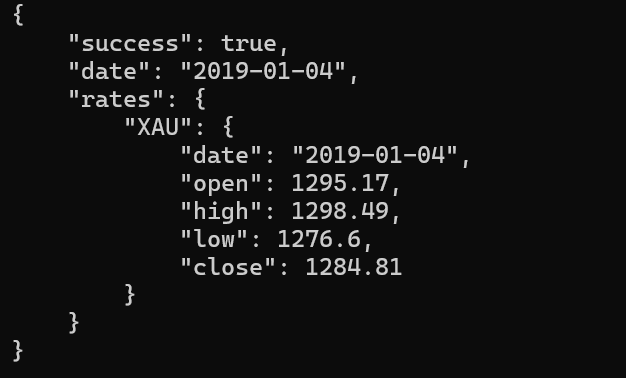
Here is an example of a historical commodity prices API endpoint:
$ curl https://api.commoditypriceapi.com/v2/rates/historical?symbols=xau&date=2019-01-04 \ -H "x-api-key: YOUR_API_KEY"Response output
Let’s check out why commodity API data matters.
Why Commodity Data Matters?
Here are the five reasons that demonstrate the importance of commodity data.
It is essential to note that commodity API data enables faster business decisions across various industries.
1) You get access to the data on global demand and supply trends.
2) Accurate data also helps you in better risk management.
3) Companies can also use this data for predicting the costs of commodities. It can help them adjust the budget accordingly.
4) Commodity data helps investors to diversify their portfolio by tracking commodities like oil or gold.
5) Automated APIs replace manual updates, ensuring timely access to price movements.
How a Commodities API Works
In simple terms, the commodities API serves as a bridge between live market data sources and your applications. Moreover, they fetch the data from reliable market sources. For example, commoditypriceapi fetches its data from trusted exchanges and financial institutions.
Upon sending an API request, the server initiates the request to the data source. The data source returns data in various formats, including JSON. You, then, parse this data and display it on your app.
It is essential to note that most APIs adhere to a RESTful architecture. Such APIs are easily integrated within different programming languages.
Steps to Integrate Commodity Price API
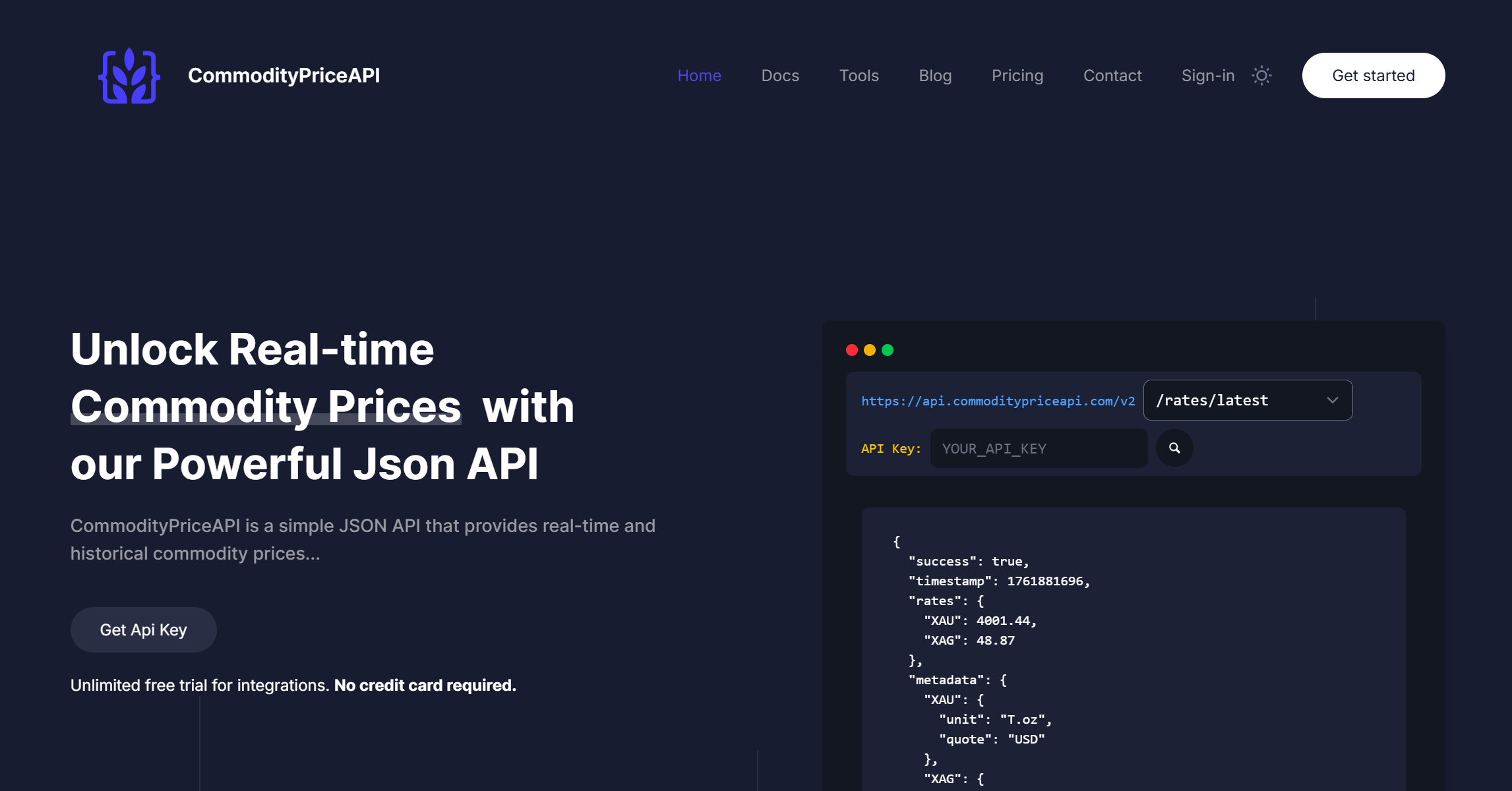
Navigate to the website: https://commoditypriceapi.com/
Click on the “Get Started” button.
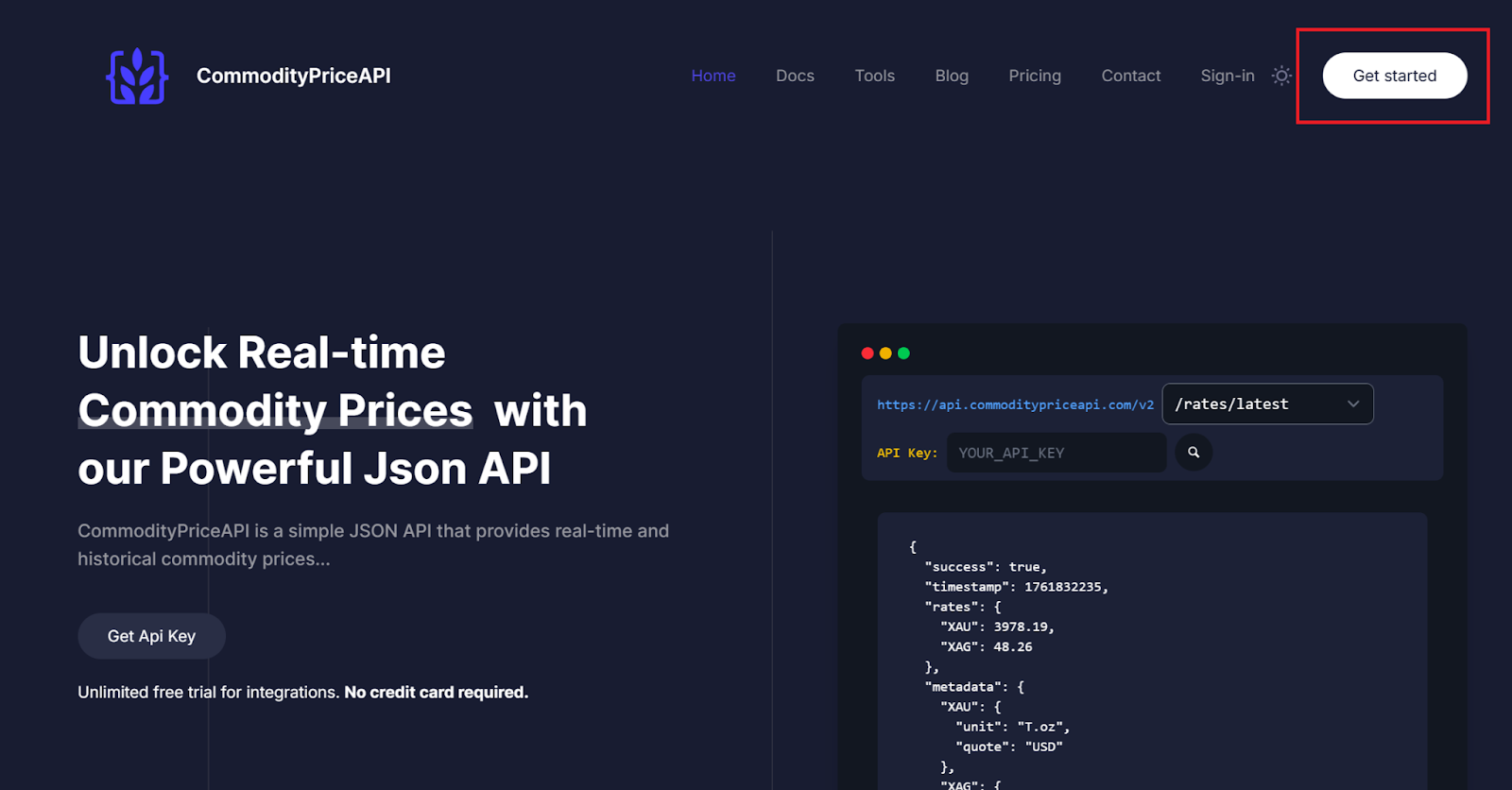
Create an account by following the on-screen instructions:
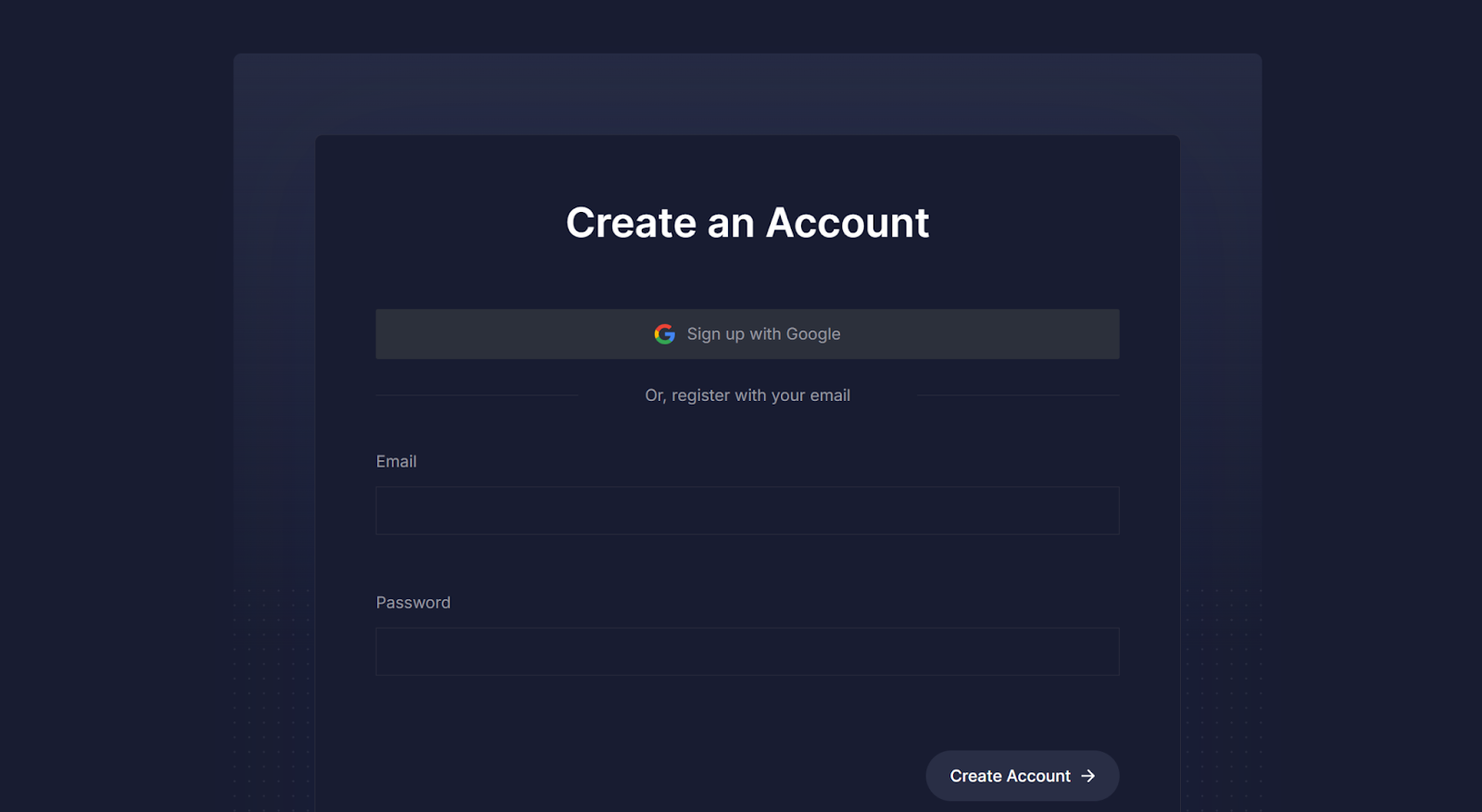
You can also Sign In with your existing Google account.
You will be able to see your dashboard:
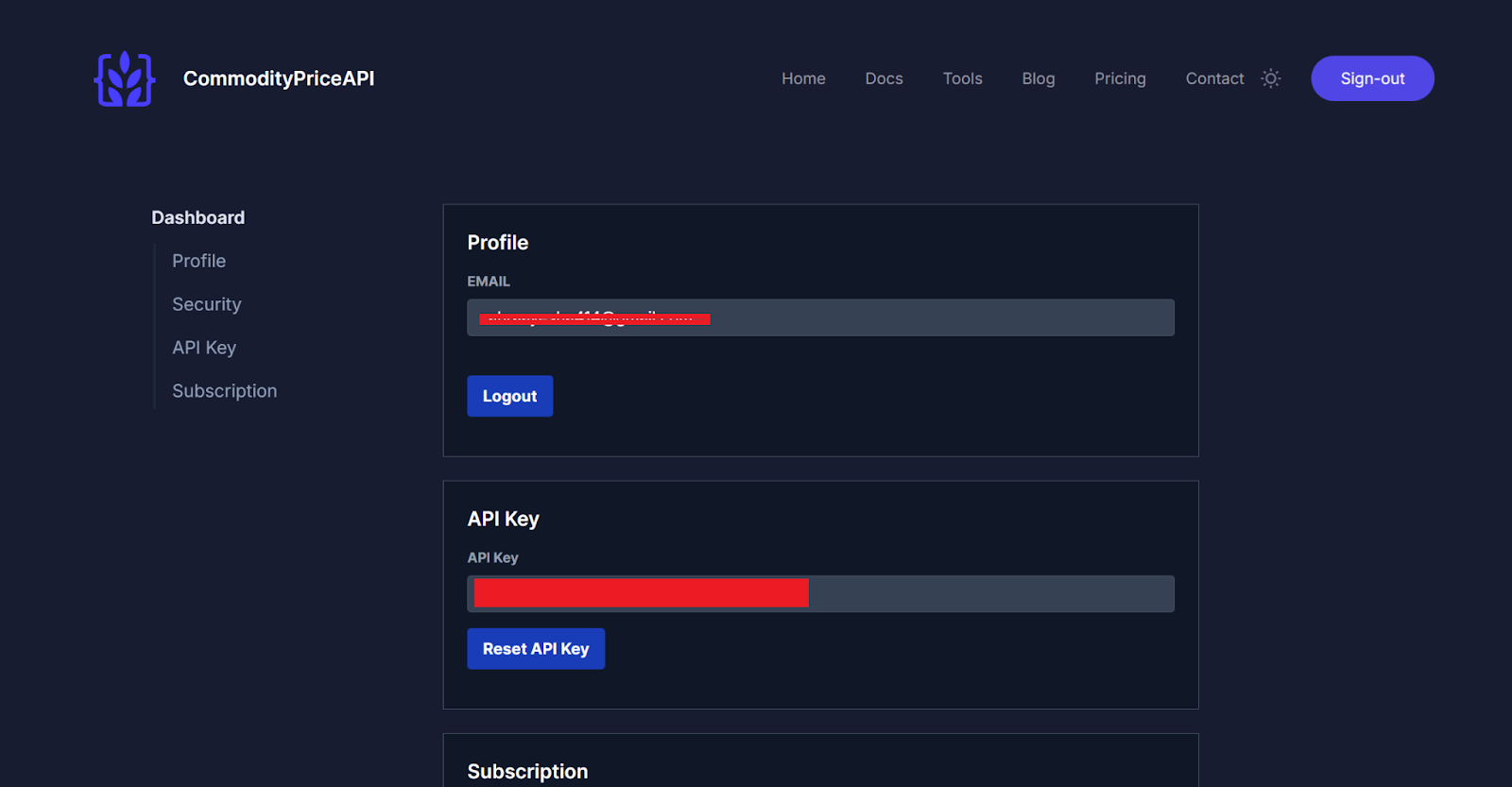
The next steps are simple. Just copy your API key and open the documentation page. Here, you will see multiple API endpoints, including the latest rates and the historical ones.
Here are the endpoints offered by the Commodity Price API:
1) /v2/usage (Usage)
Returns API usage information for your account.
cURL Example:
$ curl https://api.commoditypriceapi.com/v2/usage -H "x-api-key: YOUR_API_KEY"2) /v2/symbols (Symbols)
Returns the complete information of all supported commodities (symbol, category, currency, unit, and name).
cURL Example:
$ curl https://api.commoditypriceapi.com/v2/symbols -H "x-api-key: YOUR_API_KEY"3) /v2/rates/latest (Latest Rates)
Returns the latest rates for the specified commodity symbols.
cURL Example:
$ curl https://api.commoditypriceapi.com/v2/rates/latest?symbols=xau \-H "x-api-key: YOUR_API_KEY"4) /v2/rates/historical (Historical Rates)
Queries the API for historical rates by passing a date (format YYYY-MM-DD) as a URL Parameter.
cURL Example:
$ curl https://api.commoditypriceapi.com/v2/rates/historical?symbols=xau&date=2019-01-04 \ -H "x-api-key: YOUR_API_KEY"5) /v2/rates/time-series (Timeseries)
Queries the API for daily historical rates between two specified dates.
cURL Example:
$ curl https://api.commoditypriceapi.com/v2/rates/time-series?symbols=xau&startDate=2023-12-08&endDate=2023-12-13 \ -H "x-api-key: YOUR_API_KEY"6) /v2/rates/fluctuation (Fluctuation)
Provides information about how rates of different commodities fluctuate between a startDate and an endDate.
cURL Example:
$ curl https://api.commoditypriceapi.com/v2/rates/fluctuation?symbols=xau&startDate=2023-12-08&endDate=2023-12-13 \ -H "x-api-key: YOUR_API_KEY"Code
Here is the simple HTML, CSS, and JS code example showing the integration of the latest exchange rates:
<!DOCTYPE html>


<html lang="en">


<head>


  <meta charset="UTF-8" />


  <meta name="viewport" content="width=device-width, initial-scale=1.0" />


  <title>Commodity Price Checker</title>


  <style>


    body {


      font-family: Arial, sans-serif;


      background: #f4f6f8;


      display: flex;


      align-items: center;


      justify-content: center;


      height: 100vh;


      margin: 0;


    }


    .card {


      background: #fff;


      padding: 28px;


      border-radius: 12px;


      box-shadow: 0 6px 20px rgba(0,0,0,.08);


      width: 360px;


      text-align: center;


    }


    h2 { margin-bottom: 16px; color: #222; }


    select {


      width: 100%;


      padding: 10px;


      border-radius: 8px;


      border: 1px solid #ccc;


      margin-bottom: 12px;


    }


    button {


      width: 100%;


      padding: 10px;


      border-radius: 8px;


      border: none;


      background: #007bff;


      color: #fff;


      cursor: pointer;


    }


    button:hover { background: #0056b3; }


    .result { margin-top: 16px; color: #222; }


    .error { color: red; }


  </style>


</head>


<body>


  <div class="card">


    <h2>Commodity Price Checker</h2>


    <select id="commoditySelect">


      <option value="">Loading commodities...</option>


    </select>


    <button onclick="fetchLatestRate()">Get Latest Price</button>


    <div id="output" class="result"></div>


  </div>


  <script>


    const API_KEY = "e66377ea-6a15-4676-9cb0-f5bb386d8f7b";


    const BASE_URL = "https://api.commoditypriceapi.com/v2";


    const select = document.getElementById("commoditySelect");


    const output = document.getElementById("output");


    async function fetchJSON(url) {


      const resp = await fetch(url, { headers: { "x-api-key": API_KEY }});


      if (!resp.ok) throw new Error(`HTTP ${resp.status} ${resp.statusText}`);


      return resp.json();


    }


    async function fetchSymbols() {


      try {


        const response = await fetchJSON(`${BASE_URL}/symbols`);


        let symbolsArray = [];


        // --- 🐛 CORRECTION APPLIED HERE ---


        // The original code was throwing an error because `data.data` was likely undefined.


        // The API response for /symbols often uses a 'symbols' property, or sometimes just an object/array.


        // 1. Check for a 'symbols' property (common in currency/commodity APIs)


        if (response.symbols) {


          symbolsArray = response.symbols;


        }


        // 2. Check for the original 'data' property as a fallback


        else if (response.data) {


            symbolsArray = response.data;


        }


        // 3. If the response is a direct object where the values are the symbols (e.g., {'symbol1': {...}, 'symbol2': {...}})


        else if (typeof response === "object" && response !== null) {


          symbolsArray = Object.values(response);


        }


        // Ensure we have an array to iterate over and it's not empty


        if (!Array.isArray(symbolsArray) || symbolsArray.length === 0) {


          // This replaces the original crashing line: throw new Error("No symbols returned");


          throw new Error("API returned no commodity symbols.");


        }


        // Normalize symbolsArray to an array if it's an object of objects


        // The structure expected is an array of objects: [{symbol: 'X', name: 'Y'}, ...]


        let finalSymbols = Array.isArray(symbolsArray) ? symbolsArray : Object.values(symbolsArray);


        select.innerHTML = "<option value=''>Select a commodity</option>";


        finalSymbols.forEach(item => {


          const option = document.createElement("option");


          // This assumes each item has 'symbol' and 'name' properties, which is correct based on the original code


          option.value = item.symbol;


          option.textContent = `${item.symbol} - ${item.name}`;


          select.appendChild(option);


        });


        // --- END CORRECTION ---


      } catch (err) {


        console.error(err);


        select.innerHTML = `<option value=''>Failed to load: ${err.message}</option>`;


      }


    }


    async function fetchLatestRate() {


      const symbol = select.value;


      if (!symbol) {


        output.innerHTML = "<span class='error'>Please select a commodity.</span>";


        return;


      }


      output.textContent = "Fetching latest rate...";


      try {


        // NOTE: The API key for this request is sent via the fetchJSON function, not as a query param.


        const data = await fetchJSON(`${BASE_URL}/rates/latest?symbols=${symbol}`);


        if (data.rates && data.rates[symbol] !== undefined) {


          const price = data.rates[symbol];


          // Use optional chaining to safely access metadata properties


          const unit = data.metadata?.[symbol]?.unit || "unit";


          const currency = data.metadata?.[symbol]?.quote || "USD";


          const name = select.options[select.selectedIndex].text.split(' - ')[1];


          output.innerHTML = `<strong>${name} (${symbol})</strong>: ${price.toFixed(2)} ${currency} per ${unit}`;


        } else {


          output.innerHTML = `<span class='error'>Price data not available for "${symbol}".</span>`;


        }


      } catch (err) {


        console.error(err);


        output.innerHTML = `<span class='error'>Error fetching price: ${err.message}</span>`;


      }


    }


    // Load symbols on page load


    fetchSymbols();


  </script>


</body>


</html>
Generated Output
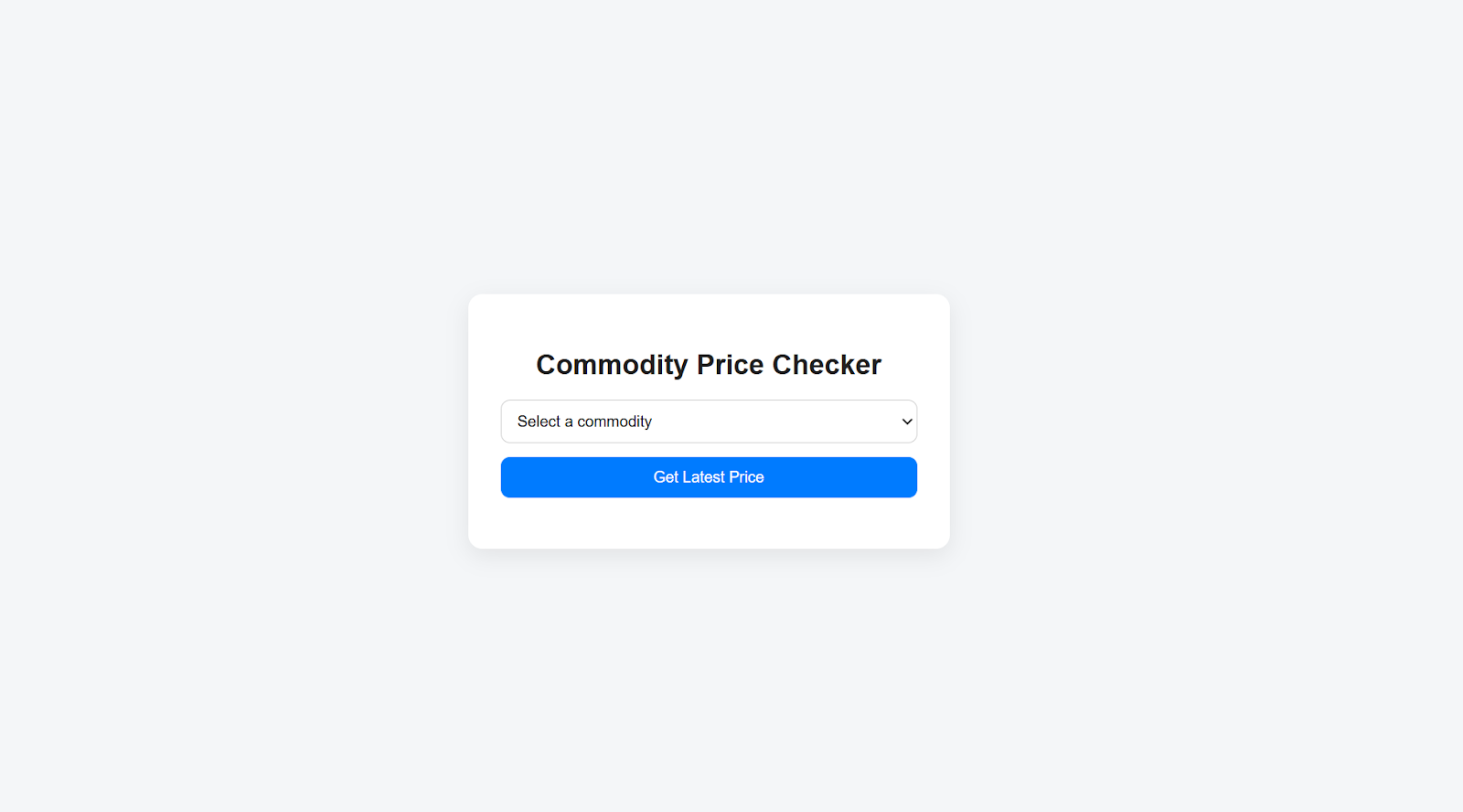
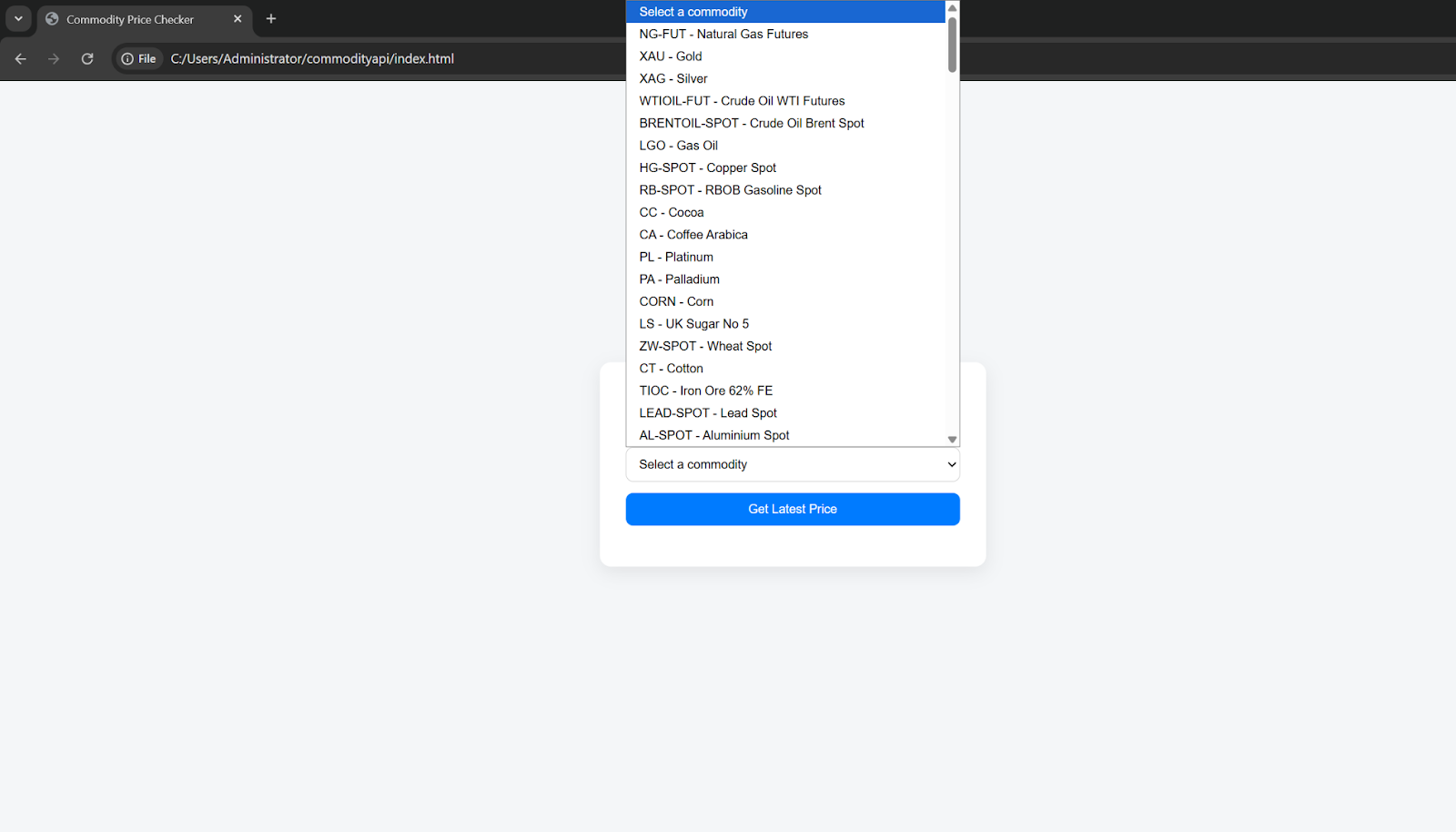
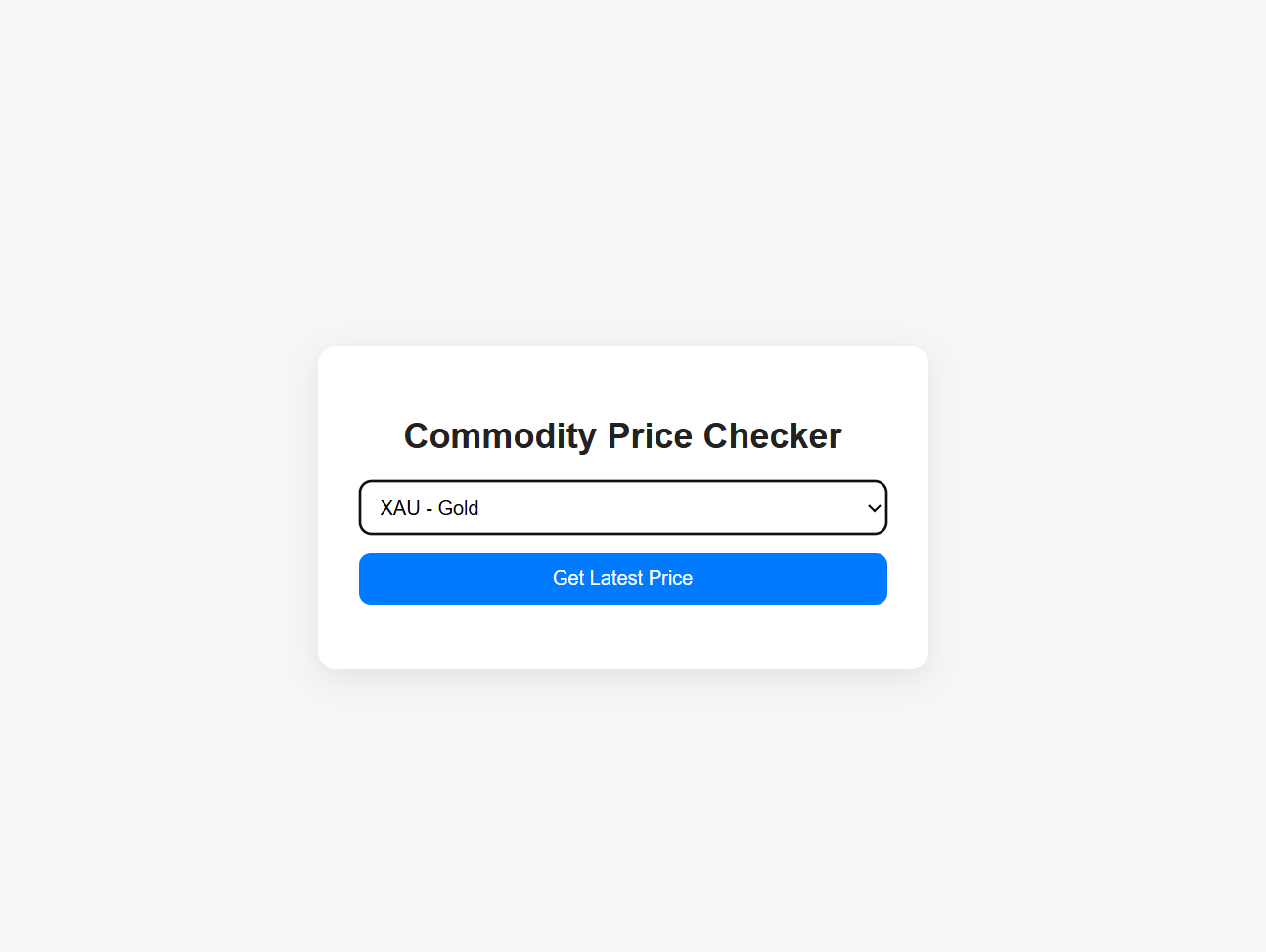
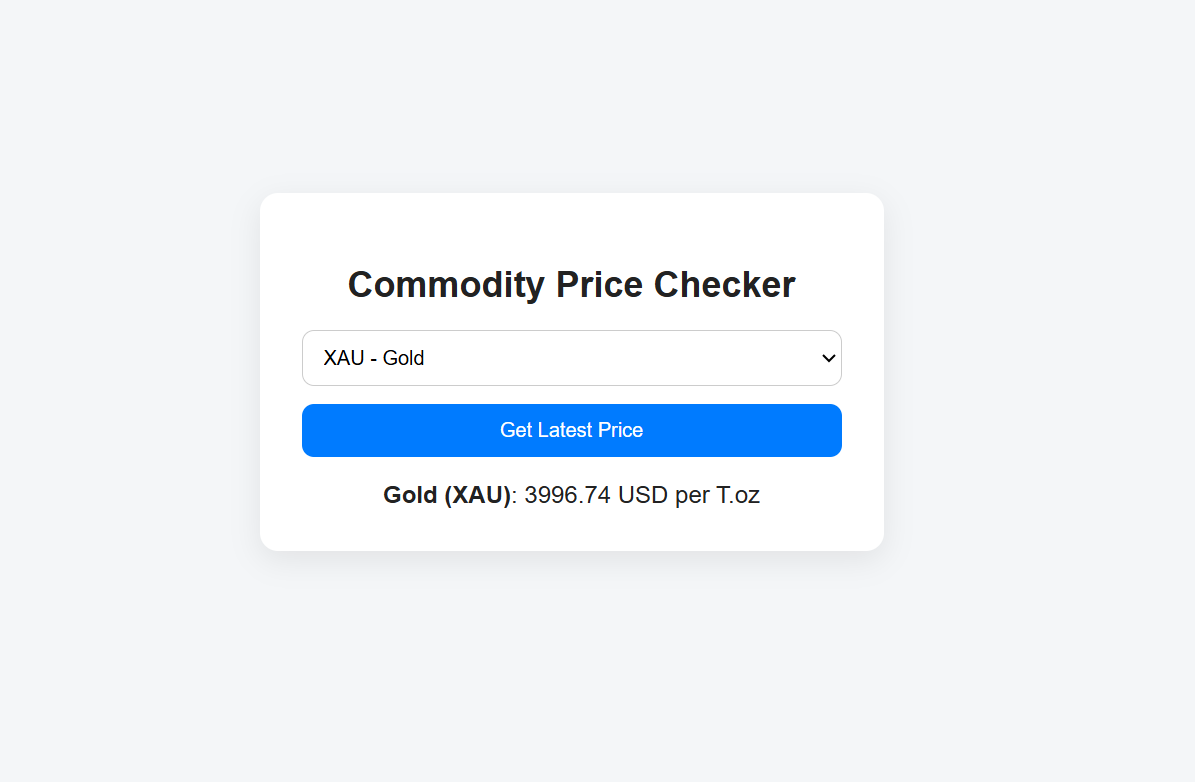
Important Note: You just need to add the above code within an index.html file and open it inside a browser. You can also run it inside the Visual Studio Code. Just add the commodity name to get:
- lowest price
- highest price
- rate limit, and much more.
The app is built on latest endpoint by default to get the live cattle futures and rates for energy products. You can access more endpoints inside the commodity prices api documentation.
Key Use Cases: How Businesses Leverage Commodities APIs
It is a major turning point that APIs have completely changed how people are handling market data. It has become easier than before to obtain data that is both reliable and accurate, while also being fast.
Let’s check out the common use cases of the commodities API.
Finance and Trading
In finance and trading, it is very common to deal with data dashboards. These dashboards enable us to make informed and accurate decisions quickly. We can use the commodities API to create live dashboards for gold and oil prices. Moreover, it can help us support backtesting strategies through the historical datasets.
Manufacturers and Supply Chain Teams
This category relies on real-time data for predicting costs. In other words, procurement systems must always be updated with real-time costs, and APIs can facilitate this process.
Analytics and BI Teams
You can also automate your Power BI or Tableau reports using the commodity prices api. It can help you visualize the real-time and historical data without worrying about its quality.
The best part? Most fintech apps and startups utilize these APIs to obtain live rates. But that’s not all. The commodity prices API also helps them run cost calculators and build inflation trackers. As a result, they can turn raw data into actionable insights.
Conclusion
You have explored the basics of the commodities API tool to get live data or current price. It should now be easier for you to use these APIs without any problems, as we provided clear steps on how to use them. However, it is equally important to choose the right APIs. The right commodities API depends on multiple factors, including cost, data latency, customer support, and more. Ensure that you select the one that best matches your requirements.
FAQs
What Is A Commodities API?
A commodities API gives you data about commodities like gold, oil, wheat, coal, corn, and other world agricultural products. The best part about using these APIs is that you can integrate the data within your apps. Plus, the data is present in the latest, historical, and time series categories for your projects.
How Do I Get Real-Time Commodity Data?
You can access real-time commodity data by integrating an API like CommodityPriceAPI using your API key and endpoint requests. There are some limits on free plan so you can subscribe or upgrade to paid premium plan.
Is There A Free Commodities API?
Check out the commodity price API for real-time commodity price data. For this, you can check out their latest commodities rates endpoint. It provides access to the closing price and opening price for precious metals, crude oil, heating oil, palm oil, and various other given commodity products.
How Can I Integrate Commodity Data Into A Trading Dashboard?
Every dashboard has a different method for integrating live commodity data. The first step is to obtain your API key from the commodity price API. After that, follow the steps provided for your dashboard to integrate the API. For example, Power BI allows API data integration through the web URL option.
Sign up for free today at the commodities price API and get access to accurate data now!