
Commodity API Best Practices: Rate Limits, Error Handling, Caching, and Performance Optimization
By
Ejaz Ahmed7 Dec 2025 • 7 min read
Introduction
Think that you are building a trading dashboard. You need gold, oil, and silver prices to update this in real time. But if the API slows down, misses data, your charts freeze, the predictions go wrong, return errors, and the users lose their trust. This thing is very common for developers integrating Commodity Price APIs.
Real-time Commodity data is very important for dashboards, analytics, and trading apps. It affects forecasting, pricing, and strategic decisions. That is why having a reliable API matters a lot. CommodityPriceAPI delivers fast, correct JSON data for over 130+ commodities.
Developers face some challenges even with a great API. They face challenges like rate limits, slow responses, missing data, and poor caching. In this blog, we will talk about best practices that help you build stable and scalable integration. We will learn how to handle limits, errors, and cache, and how to improve performance. Let’s get started.
What Is A Commodity API And How It Works
A commodity API is a tool that gives you information about commodities/things such as gold, oil, silver, natural gas, raw materials, etc. This is a way for apps, developers, and websites to fetch reliable commodity prices automatically.
A commodity API gives you price data for items such as gold, oil, silver, and crops etc. You can get prices in real time, historical data, time series, and daily changes. Real-time commodity data shows the current/latest market prices. Historical data help you spot the trends. Time series data tracks changes time to time. Fluctuation data shows you daily movements.
CommodityPriceAPI gives several features that developers would love; it gives fast updates, easy integration, and it supports 170+ currencies. Their sources are trusted, and the pricing is clear. This API gives you JSON responses that are simple to use in dashboards, trading apps, and tools for analytics.
You can easily access prices for over 130 commodities, from precious metals to energy resources. The data is ready to use in your apps.
Why Best Practices Matter In Commodity API Integrations
Markets of commodities move very fast, and prices change constantly. If your API is not done well, you will get old and wrong prices. This thing can break dashboards, cause wrong forecasts, and frustrate the users.
By following best practices, you will keep your app stable, fast, and cost-effective. You avoid rate limits, reduce errors, and use the API efficiently. These all practices help your app grow as data needs increase.
A great API also needs careful handling. Using the right strategies ensures smooth performance and reliable data. That is why best practices matter in Commodity price API integrations.
Best Practices For Rate Limits
How Rate Limits Work In Commodity APIs
APIs have rate limits to protect their servers and make sure everyone gets fair access. The CommodityPriceAPI offers multiple plans that fit your needs.
The CommodityPriceAPI offers three plan types; see the table below.
Plan | Requests/Minute | Symbols per Request | Rate Limit | Updates |
Lite $15.99/month | 10 | 5 symbols per request | 10 requests per minute | 10 mins |
Plus $34.99/month | Unlimited | 10 symbols per request | None | 60 sec |
Premium 149.99/month | Unlimited | 20 symbols per request | None | 60 sec |
If you go over the limits, you will get errors in the shape of 429 Too Many Requests or 403 Limit Reaches. Exceeding limits slows down your system and may block your access temporarily.
How To Stay Within Rate Limits
Batch Commodity Symbols In One Request
Use symbols separated from commas, such as XAU, XAG, WTIOIL-FUT. Sending requests in batches reduces the API calls and also helps you to stay within limits.
Reduce Call Frequency With Scheduled Fetching
Set your data fetch according to your plan. Lite users can fetch in every 10 minutes, Plus users and Premium users can fetch data every 60 seconds.
Use Retry Logic With Exponential Backoff
Retry only when you get 429 or 500 errors. Do not retry all the time aggressively. Use exponential back-offs, it help your system to avoid overloading.
Track Usage With The Usage Endpoint
Keep an eye on your API quota using apps or the dashboard. These things help you to avoid hitting limits unexpectedly.
Upgrade Plans When Your System Scales
Upgrading lets you get more data and also removes request limits.
Error Handling Best Practices
Common Error Types In Commodity APIs
The API provides structured messages with details such as TimeStamp, Path, Code, error, and message.
Common errors are:
- 400, it means a validation error.
- 401, it means your API key is missing.
- 402, it means a subscription is required.
- 403, it means limit reached.
- 404 means' symbol not found'.
- 429, which means too many requests.
- 500, it means server error.
If you handle these errors correctly, your app will not crash. It will run smoothly and give users a much better experience.
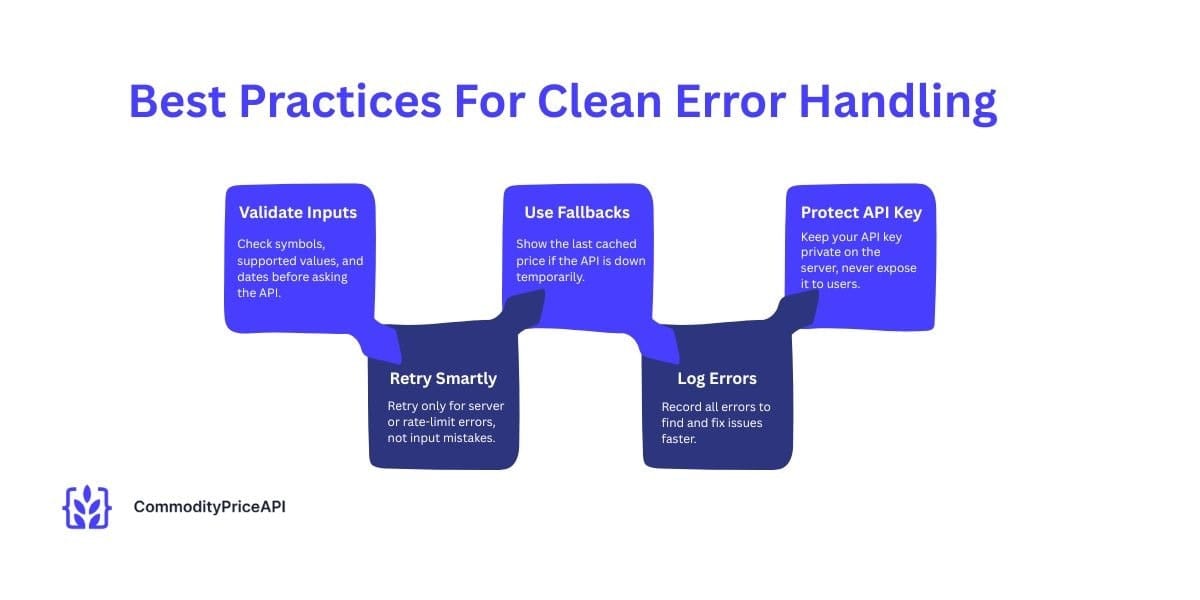
Best Practices For Clean Error Handling
Validate Inputs Before Sending Requests
Check the format of symbols, supported symbols, and date formats before sending any request.
Use Smart Retry Logic
Retry only when a server or rate limit error occurs. Do not retry validation errors.
Create Fallbacks For API Failure
Use the last cached price if the API is temporarily unavailable.
Log All API Errors
Record the errors in full to understand and resolve your issues quickly.
Protect Your API Key
Keep your API key on the server and private. Do not expose your API key in front of the client or anyone.
Caching Strategies For Faster Performance
Why Caching Matters
Caching saves the costs of data APIs; it also avoids the late limit, speeds up your apps, and stops repeated requests for the same data.
Cache Latest Rates (30-60 sec)
The API updates the latest prices repeatedly. Keep these agricultural products prices in your system for 30 to 60 seconds before asking the API again. This reduces API calls and makes your app faster and smoother for informed decisions.
Cache Historical Data Permanently
In this, Old prices never change. It stores them forever in your system, so you don’t need to ask the API again.
Cache Supported Symbols (24 hours)
The list of symbols (such as XAU, XAG, and OIL) changes very rarely. Keep it in your cache for a day.
Cache Usage Data
Some APIs have an endpoint to show your usage. Save this info so you don’t keep asking the API again.
Use Layered Caching
It stores data in your app's memory for fast access and also on a CDN for fast access for users. Because of this, your app responds quickly.
Performance Optimization Tips
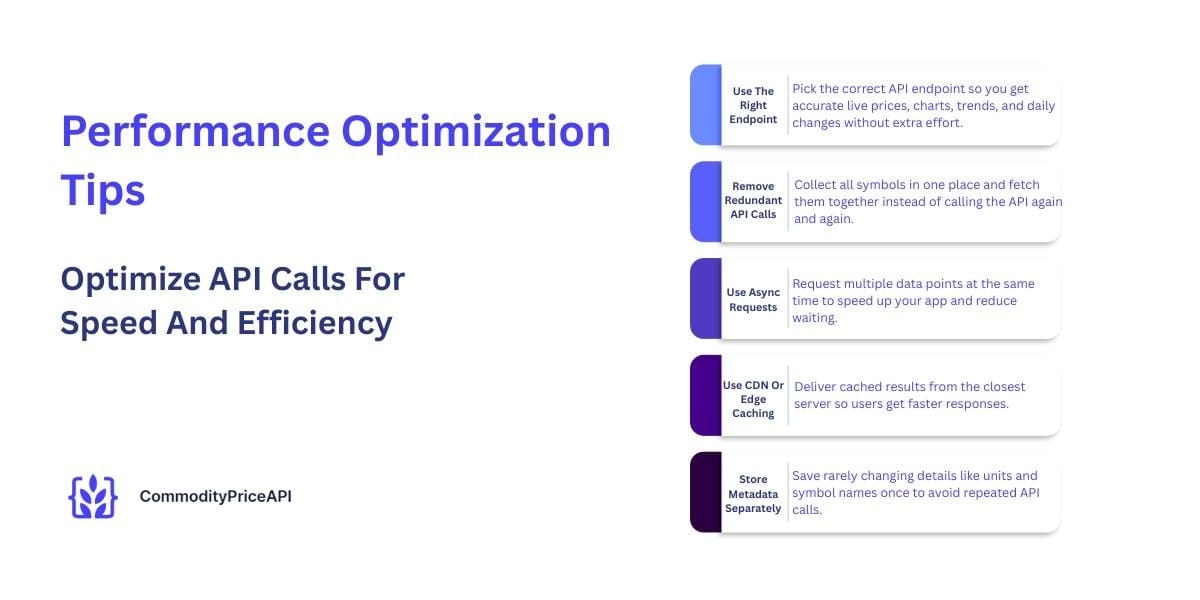
Optimize API Calls For Speed And Efficiency
- Use The Right Endpoint
It shows live prices on the dashboard with the current exchange rates. It builds charts with historical data. Analyze trends with Time Series. And track the daily changes with the Fluctuation API.
Every endpoint has some purpose. So use them properly and wisely.
- Remove Redundant API Calls
You don’t need to ask for symbols everywhere separately. It gathers all your symbols and fetches them from one central spot in your backend.
- Use Async Requests
To make things even faster, fetch data asynchronously. That means asking for multiple pieces of data at the same time rather than doing it manually.
- Use CDN Or Edge Caching
Because of this, cached results are closer to your users. They get updated quickly without waiting for errors.
- Store Metadata Separately
Things such as units, quotes, and names of symbols hardly change. Save them once and stop fetching them repeatedly. It saves your time and effort.
Security And Reliability
Keep API Keys Secure
Change your key from time to time. Your API key is like your password; do not share it with anyone. Rotate your key for extra safety.
Use Monitoring Tools
Keep an eye on your API key and the usage. This thing makes you understand what happens in your system. Tracks the usages, errors, speed, and failures. And also set alerts, so these alerts warn you that you hit limits or before something breaks.
Practical Examples With CommodityPriceAPI
Fetching Latest Commodity Prices (Node.js + Python)
Example of Node.js
const axios = require("axios");

async function getRates() {

const res = await axios.get(

"https://api.commoditypriceapi.com/v2/rates/latest",

{

params: {

apiKey: process.env.API_KEY,

symbols: "XAU,XAG,WTIOIL-FUT"

}

}

);

console.log(res.data);

}

getRates();
Example of Python
import requests

url = "https://api.commoditypriceapi.com/v2/rates/latest"

params = {

"apiKey": "YOUR_API_KEY",

"symbols": "XAU,XAG,BRENTOIL-FUT"

}

resp = requests.get(url, params=params)

print(resp.json())
Historical Rates Example With Fallback Handling
When you need to access historical data in preferred programming languages, use this format YYYY-MM-DD. E.g. 2024-11-19. But sometimes, the API may not have data for the exact date. In this condition, use your cached backup data for live data. In this way, your system works smoothly even if the API can’t return the historical rate. You can easily get the closing price, opening price, and the historical prices for the trading bots.
Commodity prices API can also give you live cattle futures through an extensive collection of data sources within its REST API for a given commodity.
Conclusion
By Following all these best practices helps your commodity API stay fast and reliable. Batch symbols, cache your data smartly, and validate inputs. Retry only when needed and always check and monitor your usage.
CommodityPriceAPI makes it easy to work with real-time and historical data. You instantly get access to 130+ countries and 170+ quotes with JSON responses.
Start your free trial with CommodityPriceAPI and build dashboards with it, also make analytic tools, and trading apps.
FAQs
What Is A Commodity API?
A commodity API is a tool that provides information on commodities/things such as gold, oil, silver, natural gas, and raw materials.
Why Do Commodity APIs Have Rate Limits?
Rate limits are the rules that control the API calls and how many times you can call the API. They protect your system from overloading and ensure that every user gets fair access to the data.
How Do I Avoid Hitting API Rate Limits?
To avoid hitting API rate limits, use batch symbols, caching, reduce call frequency, and track your usage.
What Errors Are Common In Commodity APIs?
Errors that are common in commodity API are:
Validation errors, missing API keys, unsupported symbols, and rate-limit errors.
Does CommodityPriceAPI Support Custom Quote Currencies?
Yes, Plus and Premium users can convert commodities into 170+ currencies.